


Today, we will show how to quickly and manually launch multiple advertising campaigns on Facebook without any technical tricks. No auto-upload tools or third-party services — everything is done through the standard interface.
For this, you will need a minimal set of things:
- advertising accounts linked under one Facebook profile or within a single Business Manager;
- a configured advertising campaign that will serve as a template for copying;
- a list of account IDs to which the campaign will be transferred.
This method will be useful for both beginners and experienced affiliates, regardless of vertical, GEO, or traffic sources.
Step 1. Set up the campaign in the first account
Log in to the first ad account and create a new campaign: choose the objective, set the budget, and upload creatives. After completing the setup, the campaign will be sent for automatic moderation.
Step 2. Proceed to campaign duplication
The next task is to transfer the created campaign to other accounts without manually recreating it.
Action algorithm:
1. Select the campaign in the Ads Manager interface.
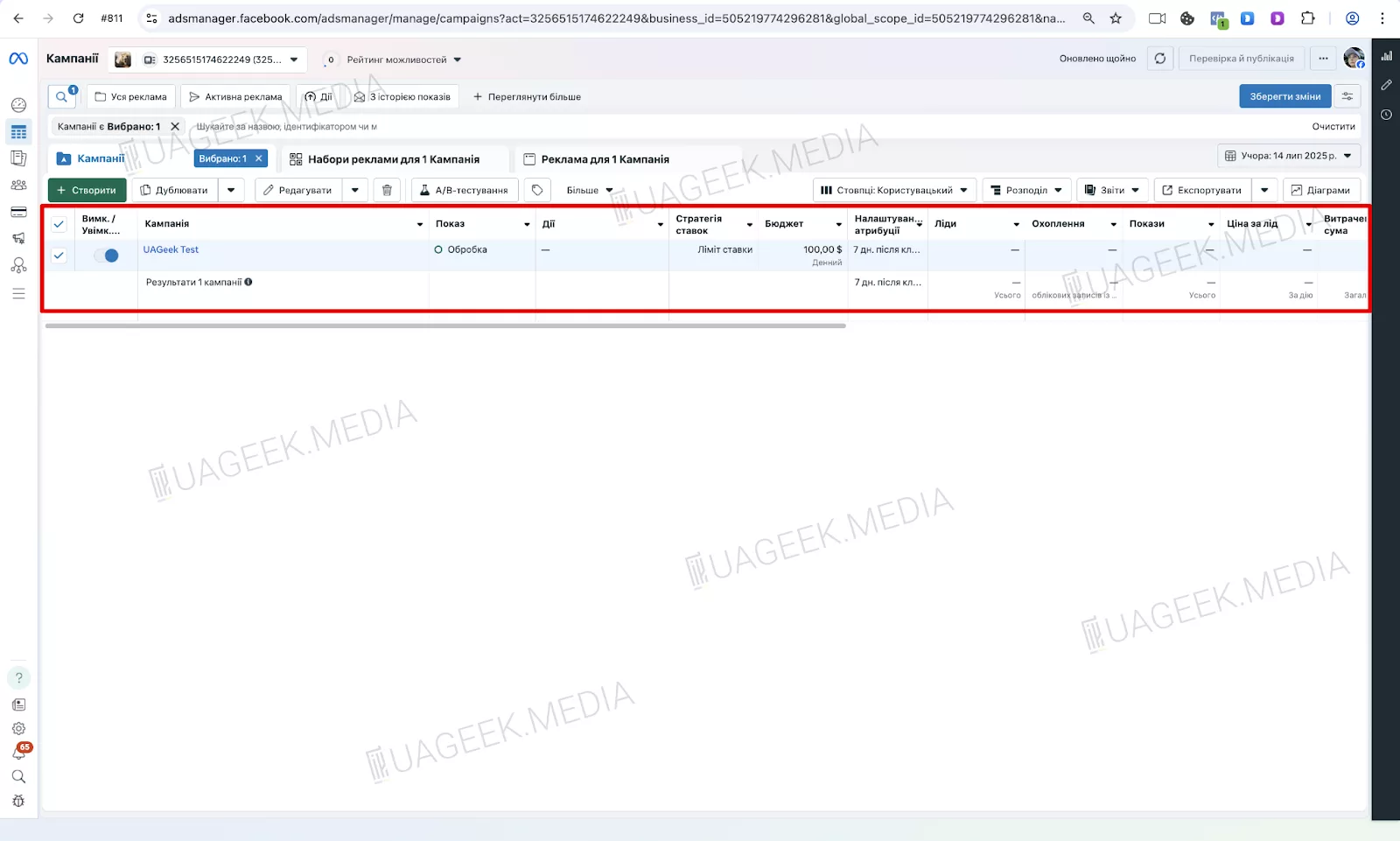
Campaign selection
2. In the browser URL bar, locate the ID of the current ad account.
3. Replace this ID with the identifier of another account from your list.
4. Press Enter.
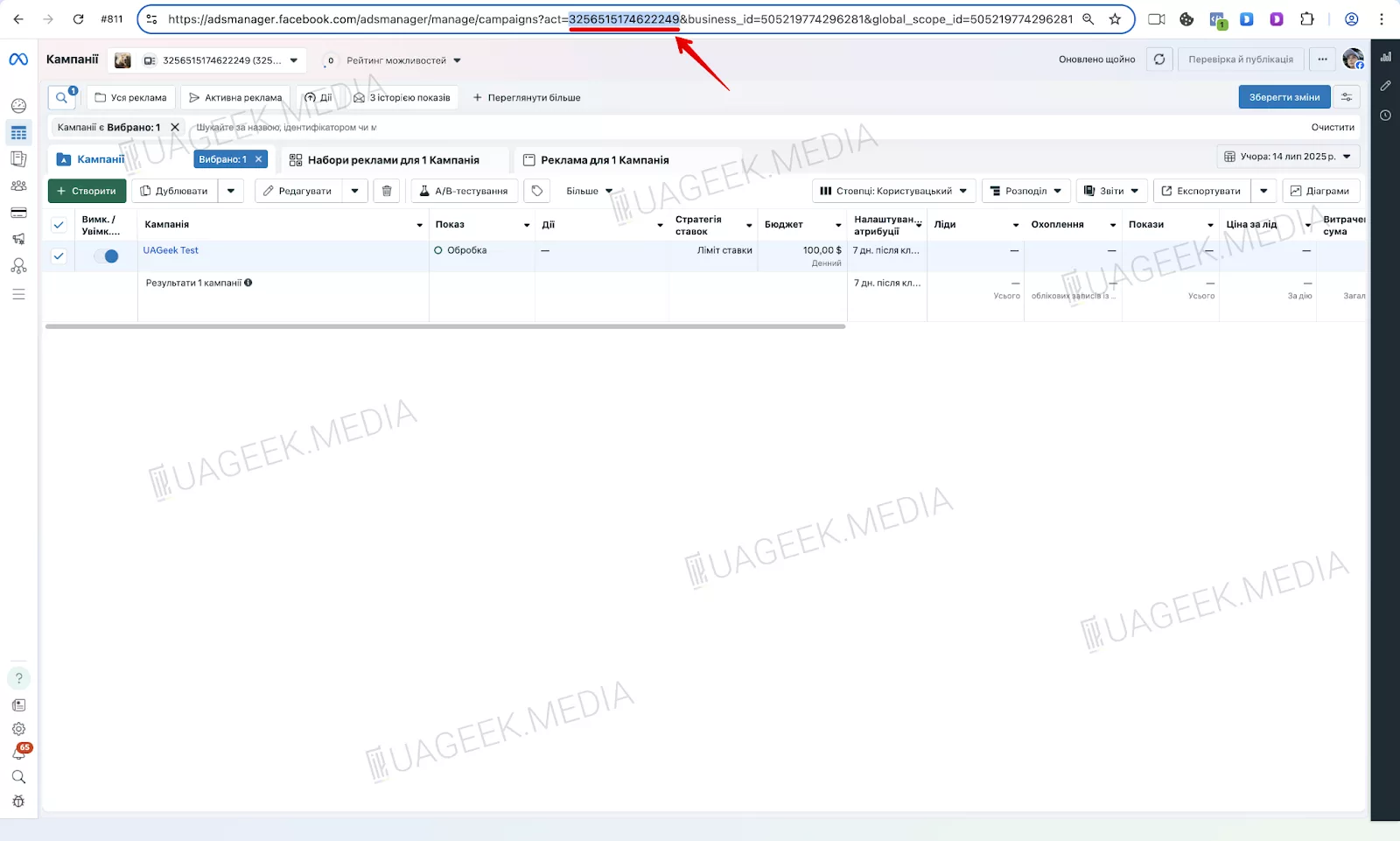
Account ID
After that, you will be automatically redirected to the target ad account. The campaign will not be visible yet, but its data will already be loaded in the background.
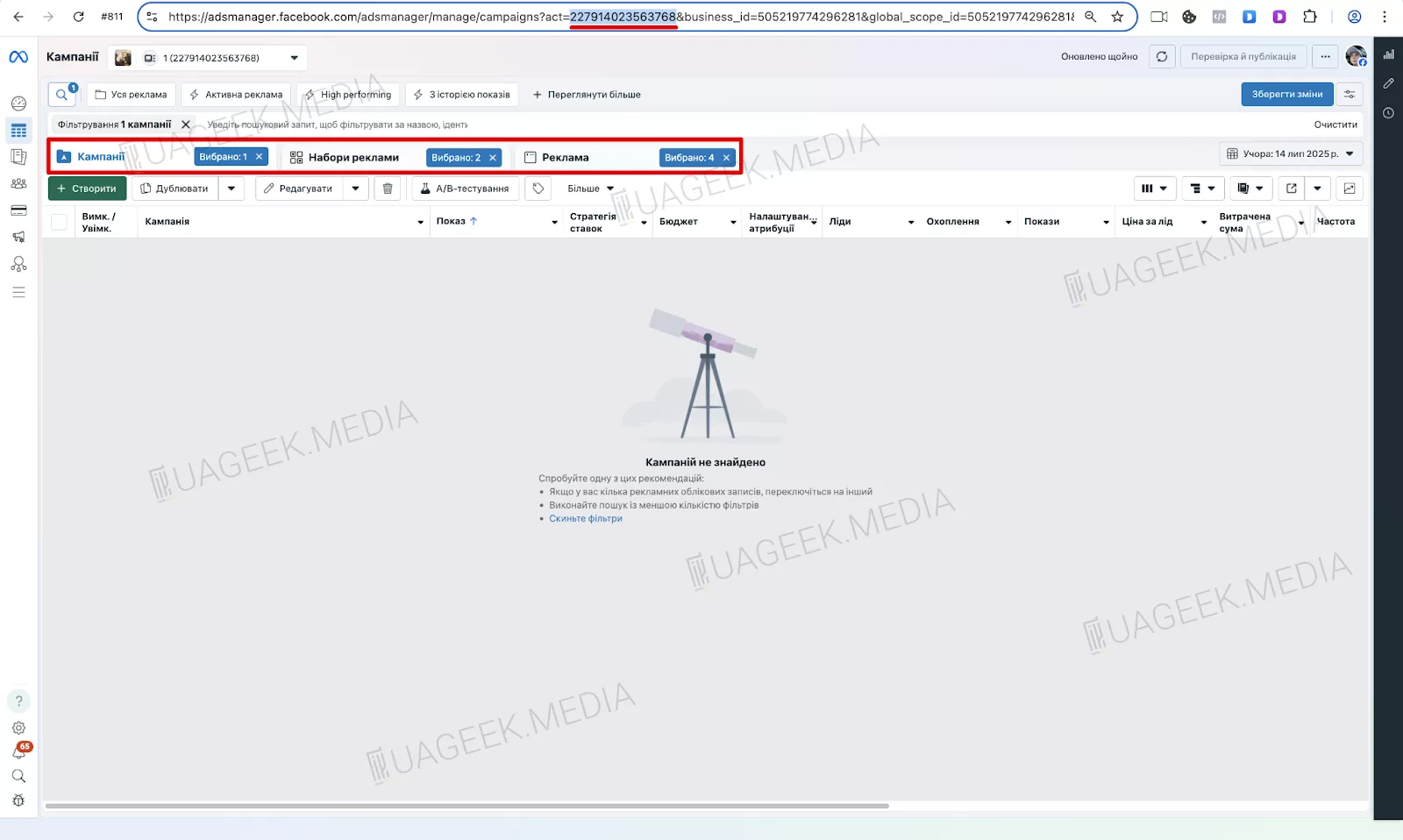
The campaign is not yet visible in the newly opened ad account
Step 3. Activate the copy in the new account
To make the campaign visible:
- Click the toggle to the right of the “Create” button.
- Select the “Copy” option.
- Open the toggle menu again and click “Paste”.
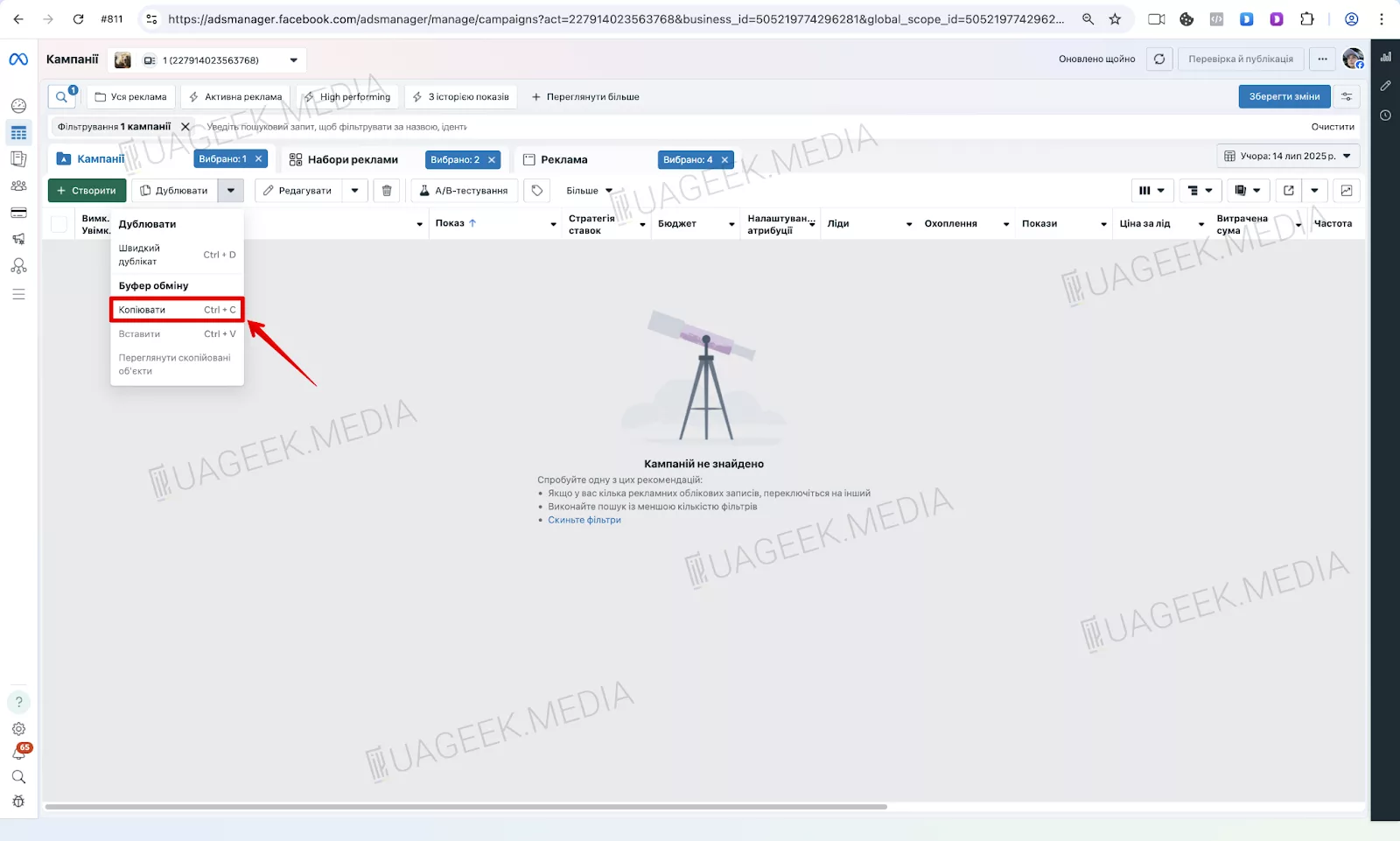
Campaign visibility toggle
The campaign will appear in the list of active campaigns in the new account.
Step 4. Campaign successfully duplicated
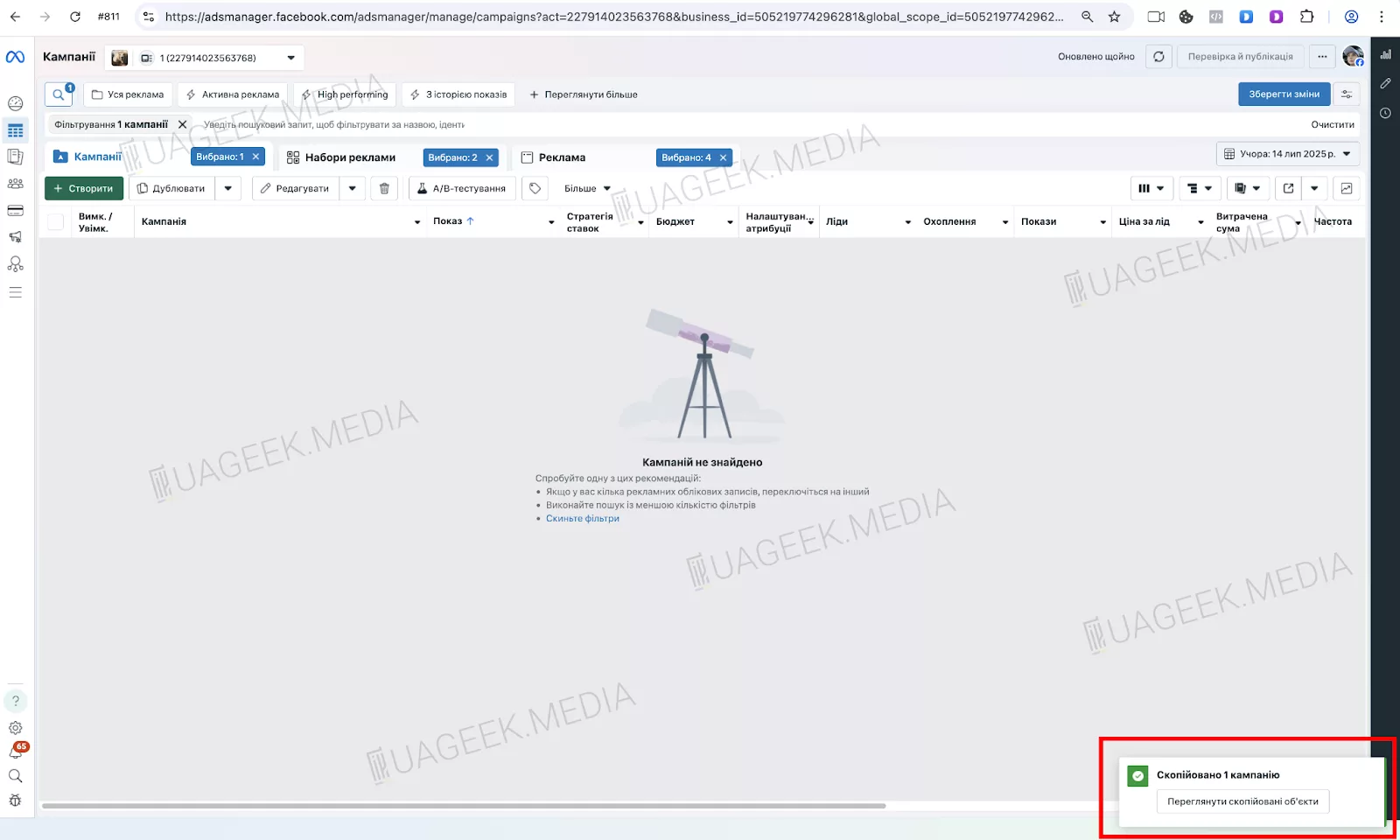
Duplication process
Once you paste the campaign, it will appear in the new account — everything is already configured, so you can launch it without additional edits.
What to do if the ad is displayed with errors
Sometimes Facebook copies ads incorrectly from a campaign. For example, the text, button, or creative may be missing.
In this case:
- Manually delete the faulty ad.
- Add the correct post or creative again.
- Save the changes.
Even if you need to fix something manually, it will take little time and will still be faster than setting up a campaign from scratch.
How to make sure the ad is pulled in correctly without errors
To prevent Facebook from trimming creatives or text during copying, it is better to publish the required post on the fan page in advance.
- Create a post with the creative you plan to use.
- Click “Boost post” — you do not need to launch it, just close the window.
- Facebook will link the post to the page, and it will be available for selection in Ads Manager.
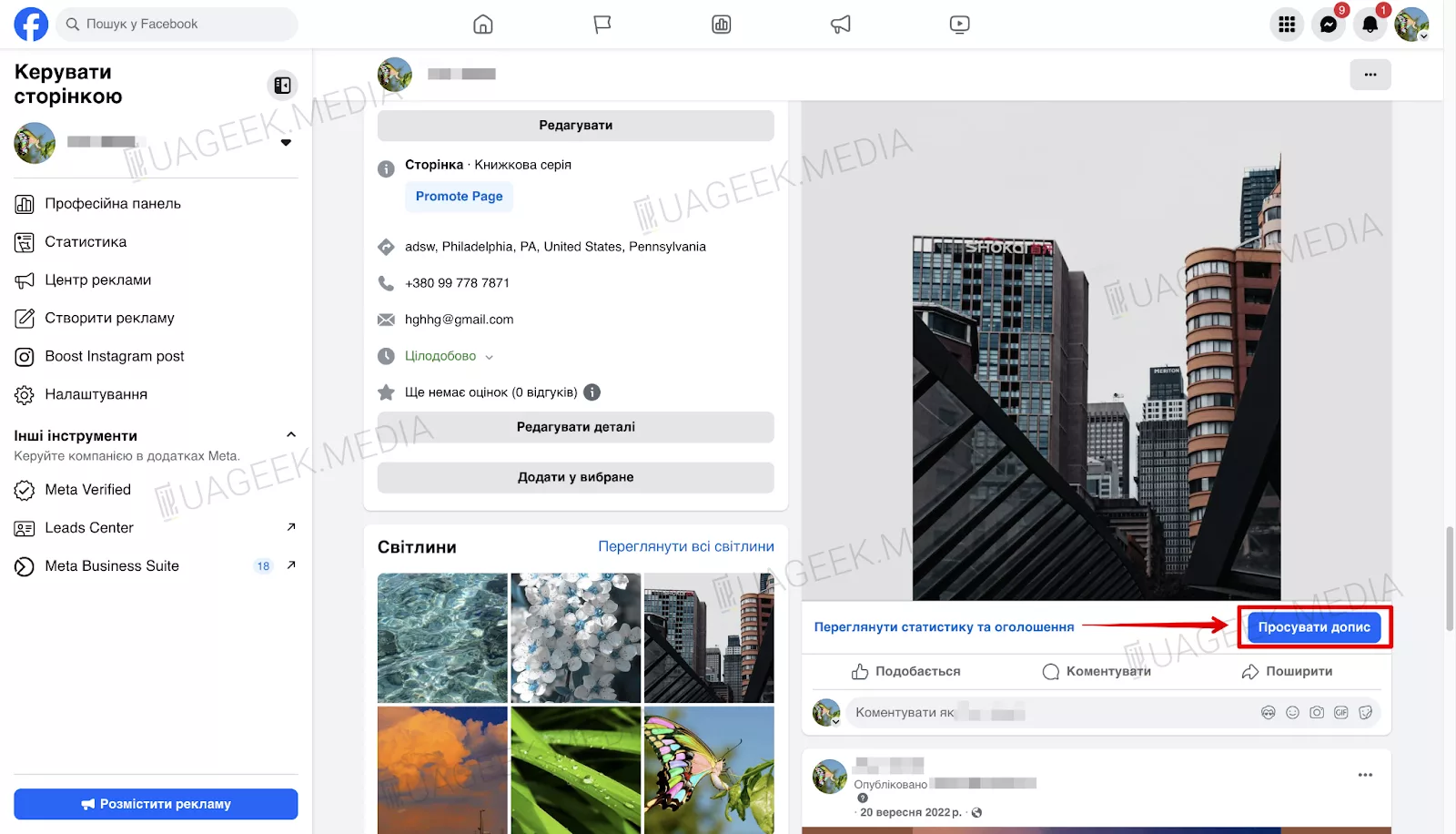
“Boost post” button
This ensures that the creative is always pulled in correctly during duplication.
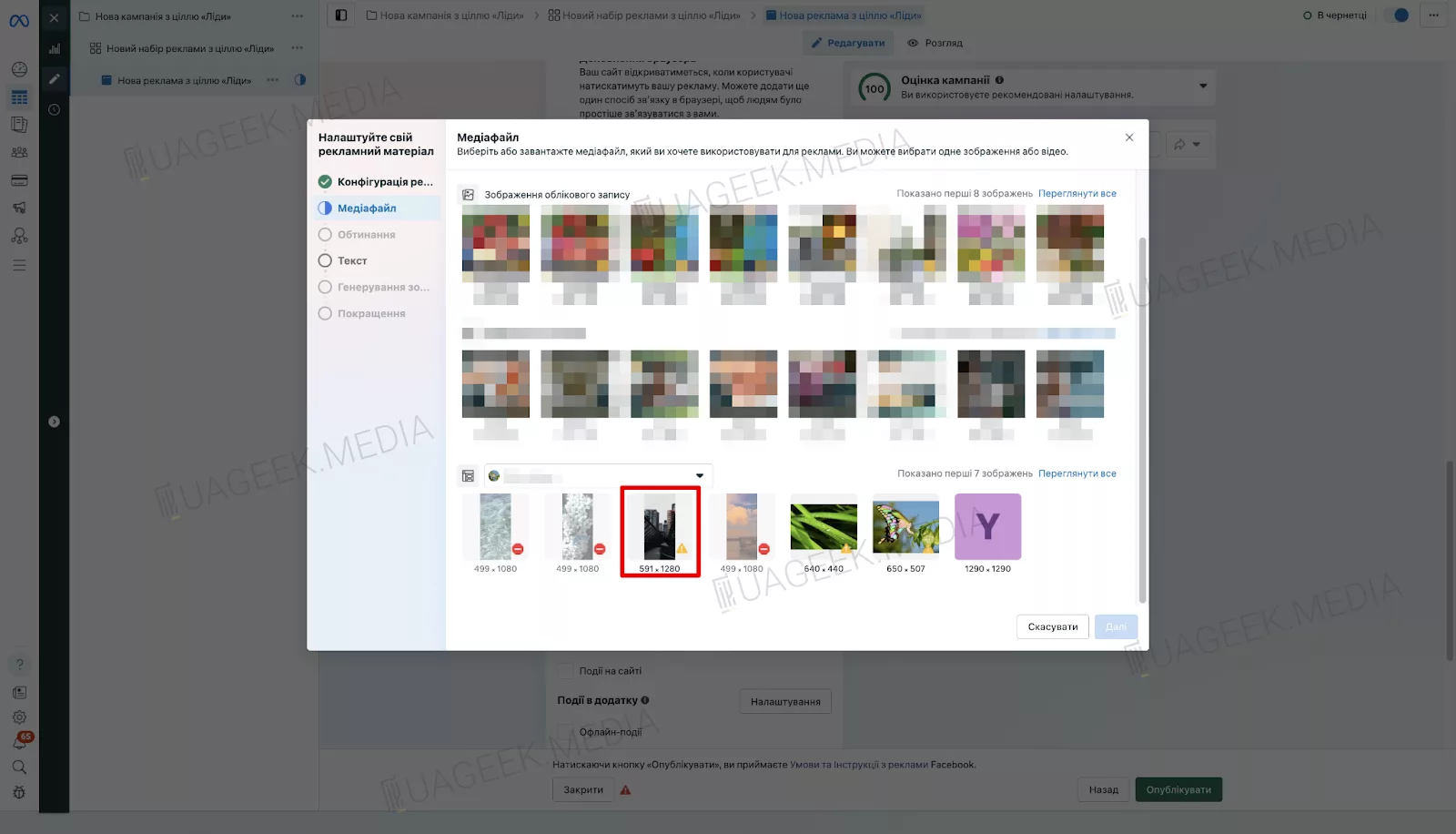
Post display in Ads Manager
Once the campaign in the first account becomes active, you can safely transfer it to other ad accounts — Facebook will correctly pull the creative from the previously published post. This helps avoid technical issues and significantly saves time on repeated setup.
Mass duplication: what to do if there are more accounts
If you plan to scale one campaign across multiple accounts (5, 10, or more), you should:
- publish the creative once as a post on the fan page;
- use this same post in every new account.
This approach gives you:
- a unified visual style for all ads;
- fewer technical errors;
- high scaling speed.
Conclusion
This method is ideal for those who want to manually but very quickly transfer advertising campaigns across multiple Facebook accounts without extra software or automation. It allows you to control every launch stage independently, set up campaigns at a comfortable pace, and avoid reliance on third-party tools. And if you need to scale, everything is done fast — literally in minutes — which is especially convenient when working with large traffic volumes.