


Facebook Business Manager is a key tool for managing ad accounts and pages. If for some reason the standard registration method does not work, no problem — you can always try an alternative. In this article, we will review 11 methods for creating a BM that are relevant in 2026. Let’s go!
Method 1. Registering Business Manager via the standard Facebook form
The easiest way is to register a BM via the official page:
- follow the link;
- fill in all the required fields (as shown in the screenshot below).
P.S. We recommend using temporary email services (for example, ProtonMail, Tutanota, Temp Mail, Guerrilla Mail, or 10 Minute Mail).
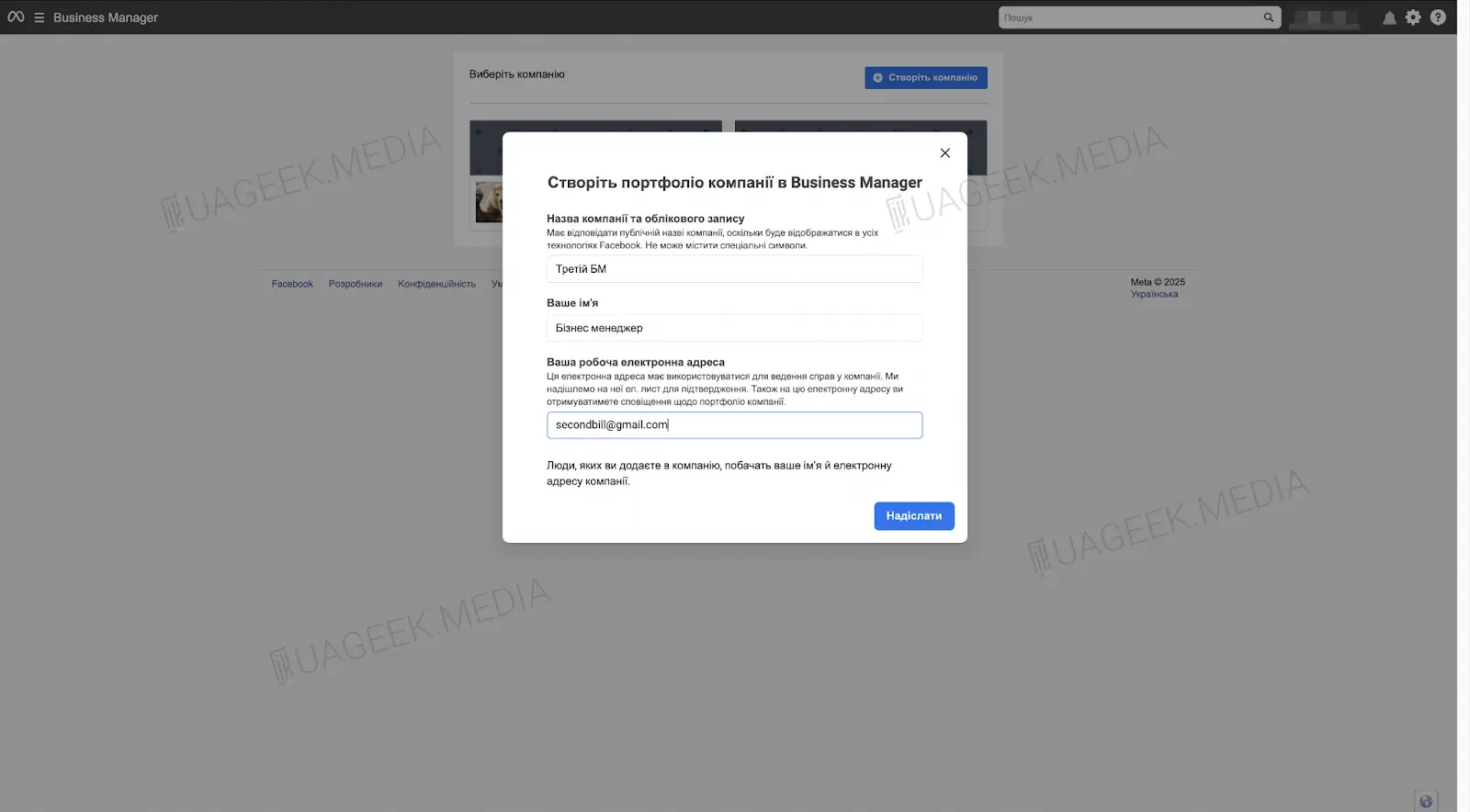
If this method doesn’t work — don’t panic, there’s a solution. Below we’ll review alternative ways to create a BM.
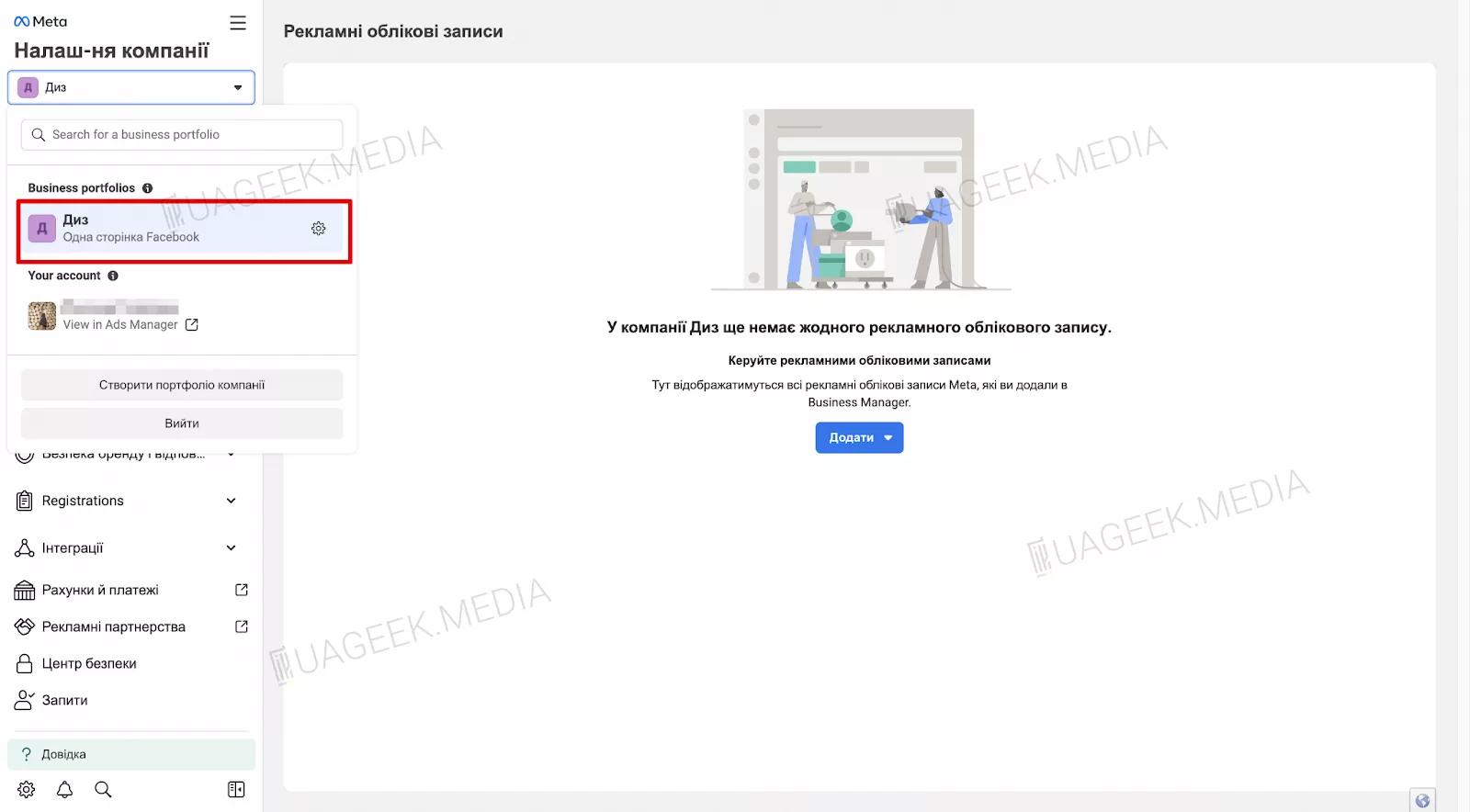
Method 2. Linking Instagram for automatic Business Manager creation
If you have a professional Instagram account, you can link it to a Fan Page, and the system will automatically create a Business Manager.
Let’s break it down using a new-type Fan Page as an example:
- First, register or purchase an Instagram account;
- In settings, switch it to a “Professional account”;
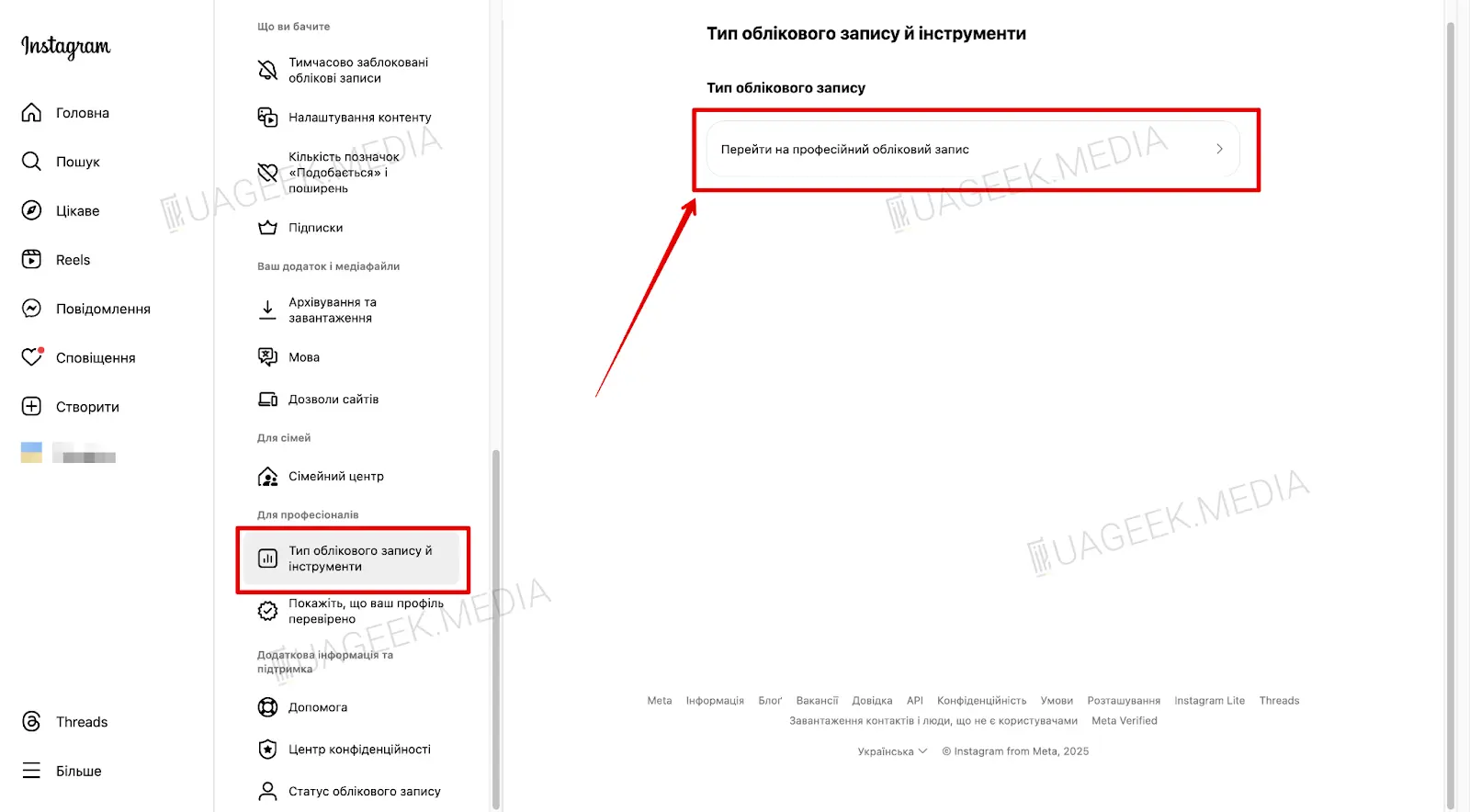
- To link the Instagram account, switch to the Fan Page.
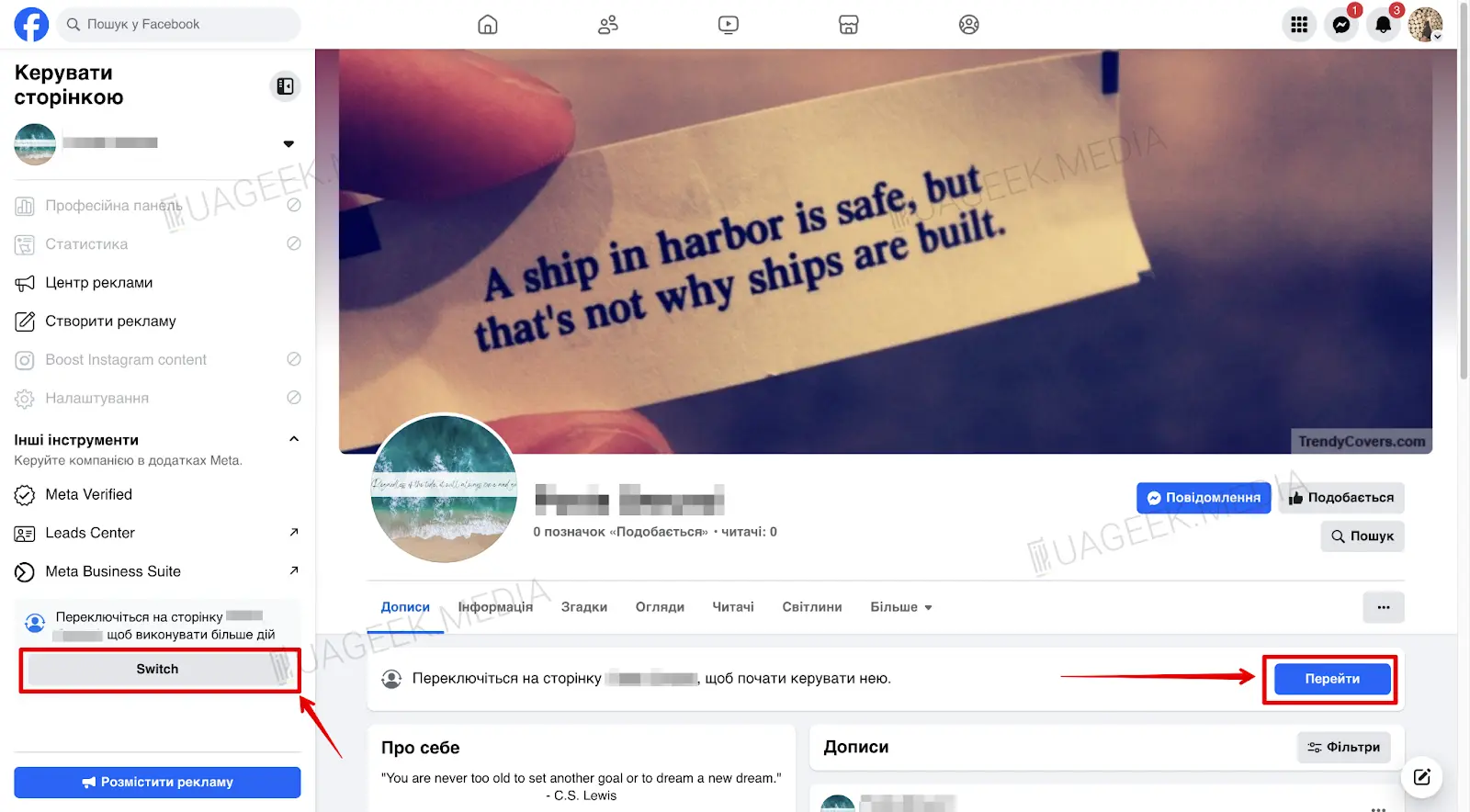
- Click the “Professional dashboard” button (as shown in the screenshot).
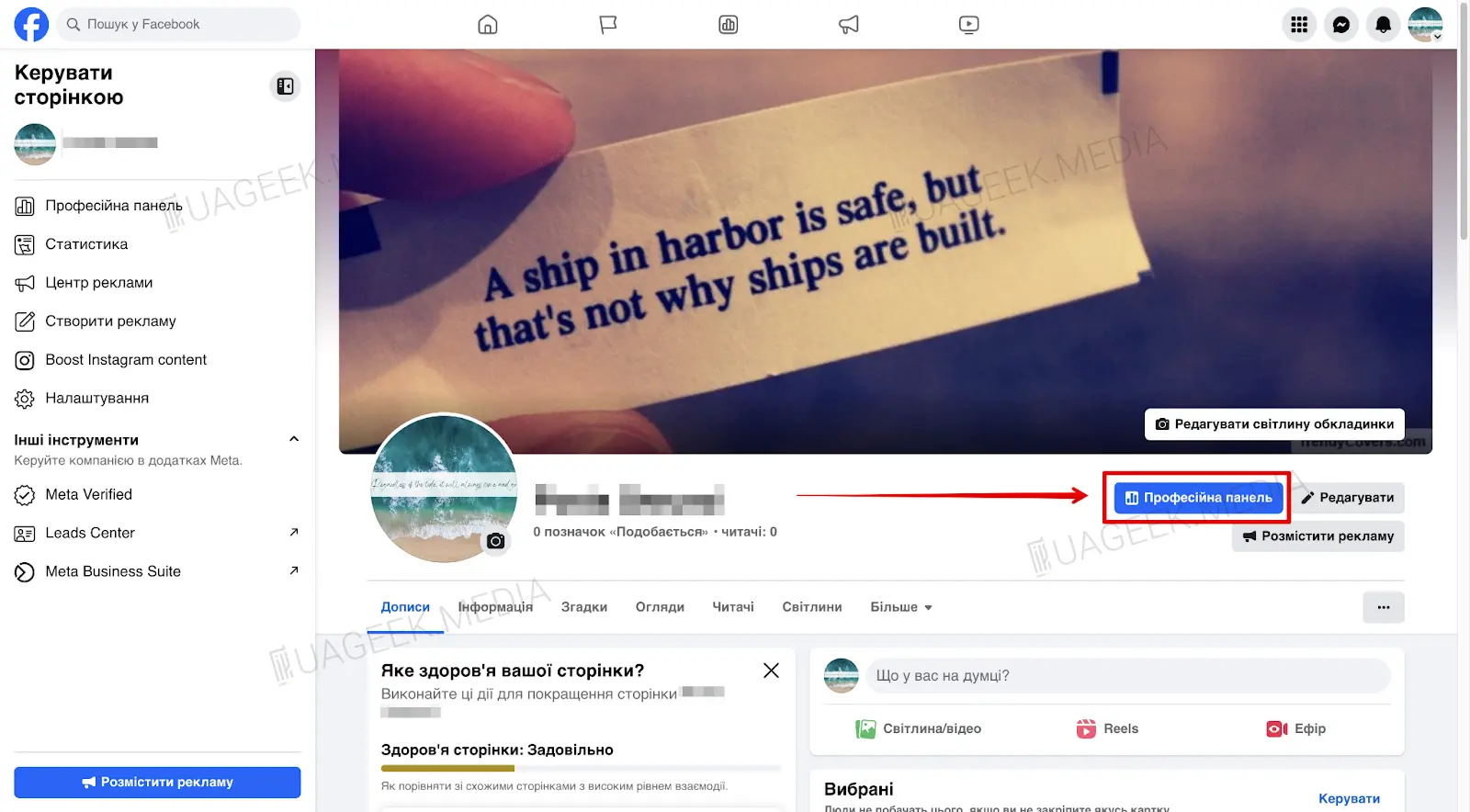
- Next, go to “Connected accounts”.
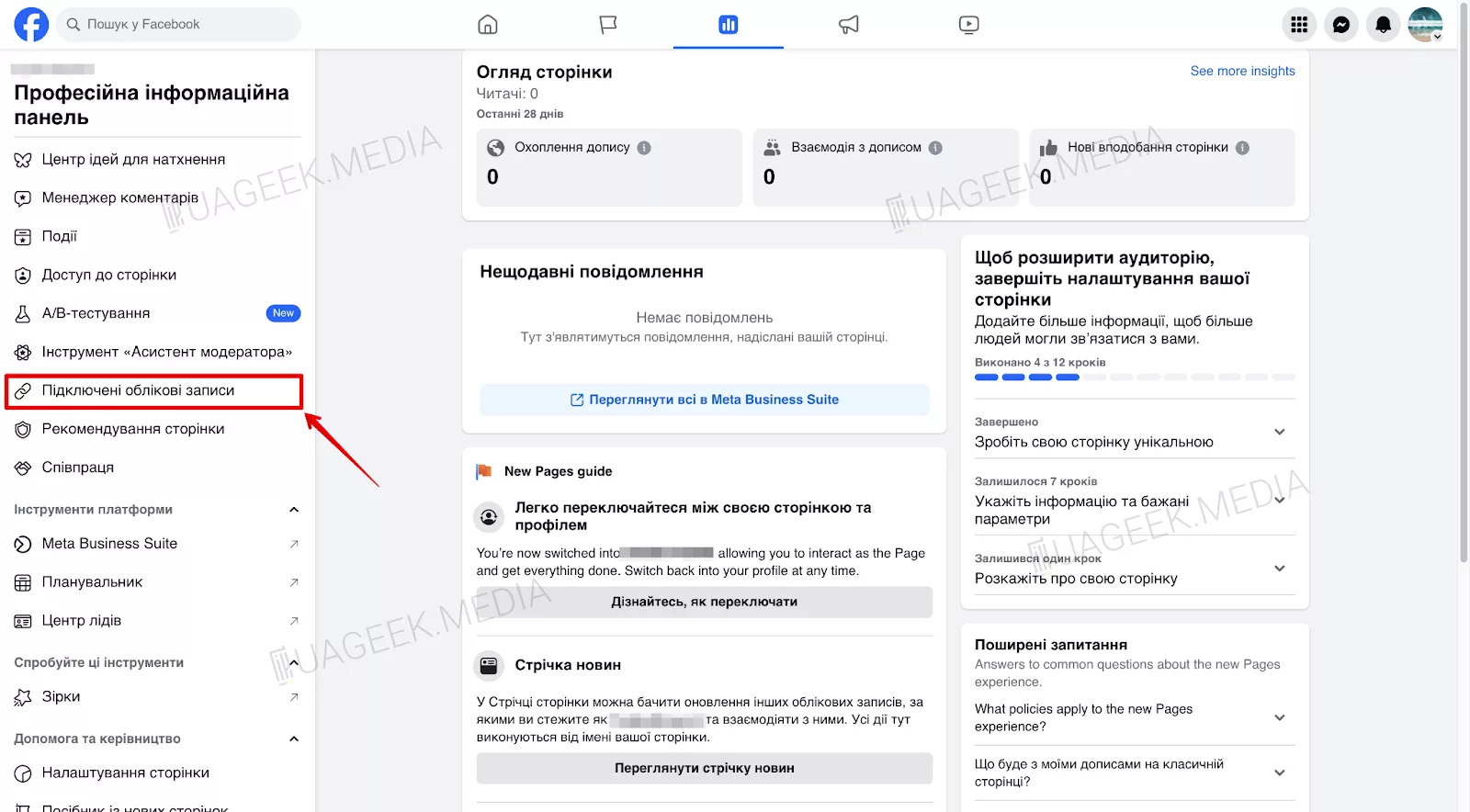
- Select “Instagram”.
- Click “Connect account”.
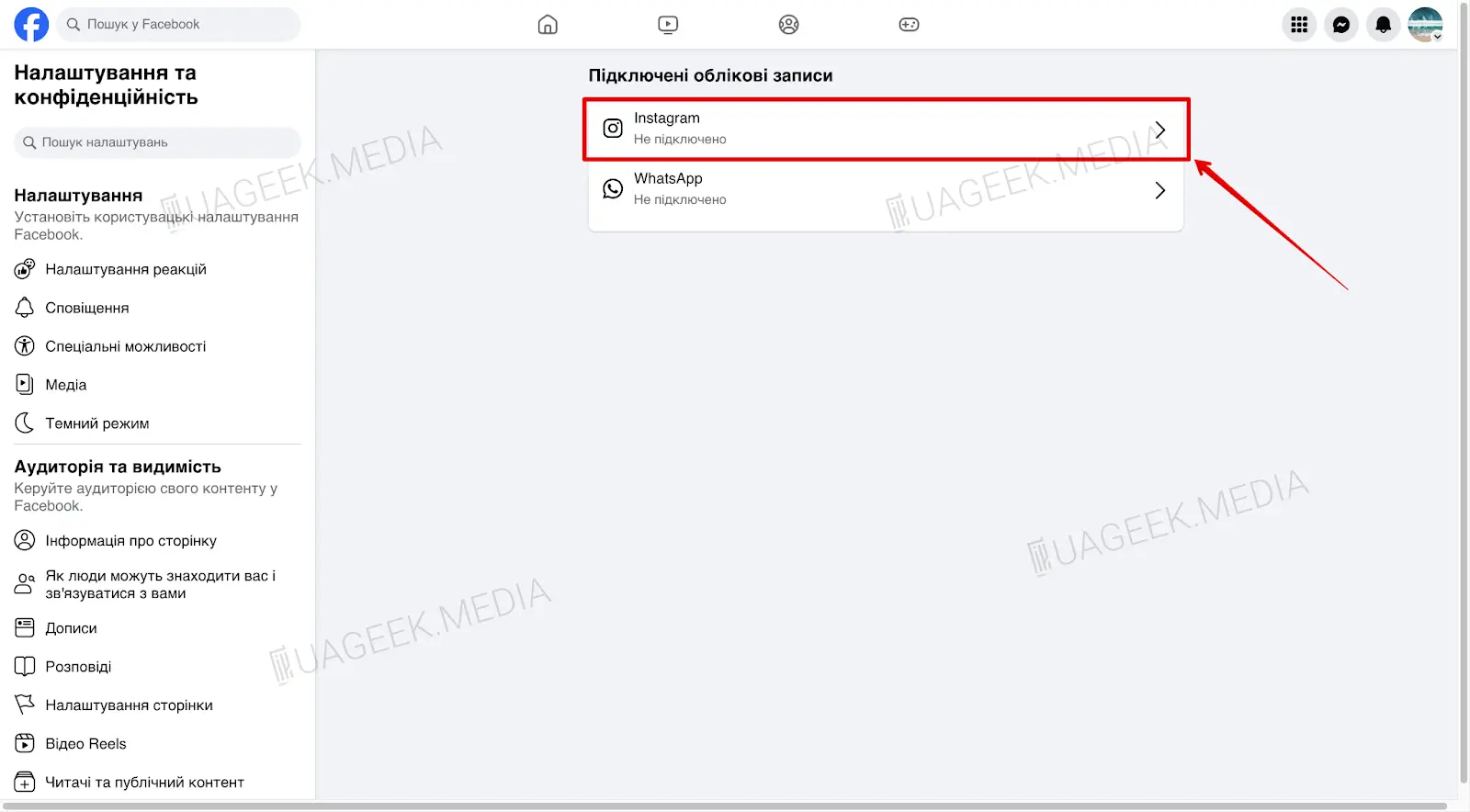
- Click the “Connect” button again.
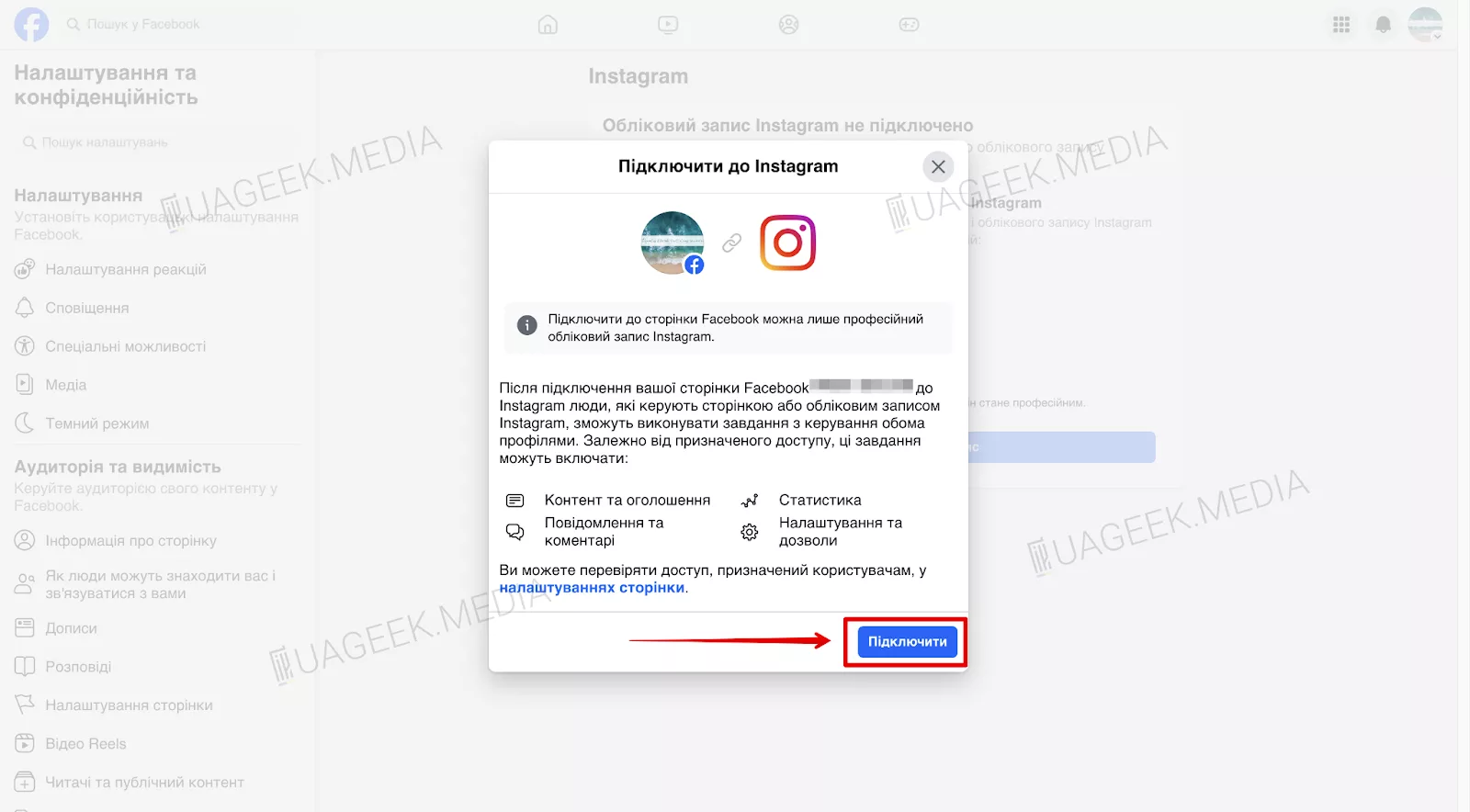
- In the pop-up window, log in to Instagram.
- Click “Done”.
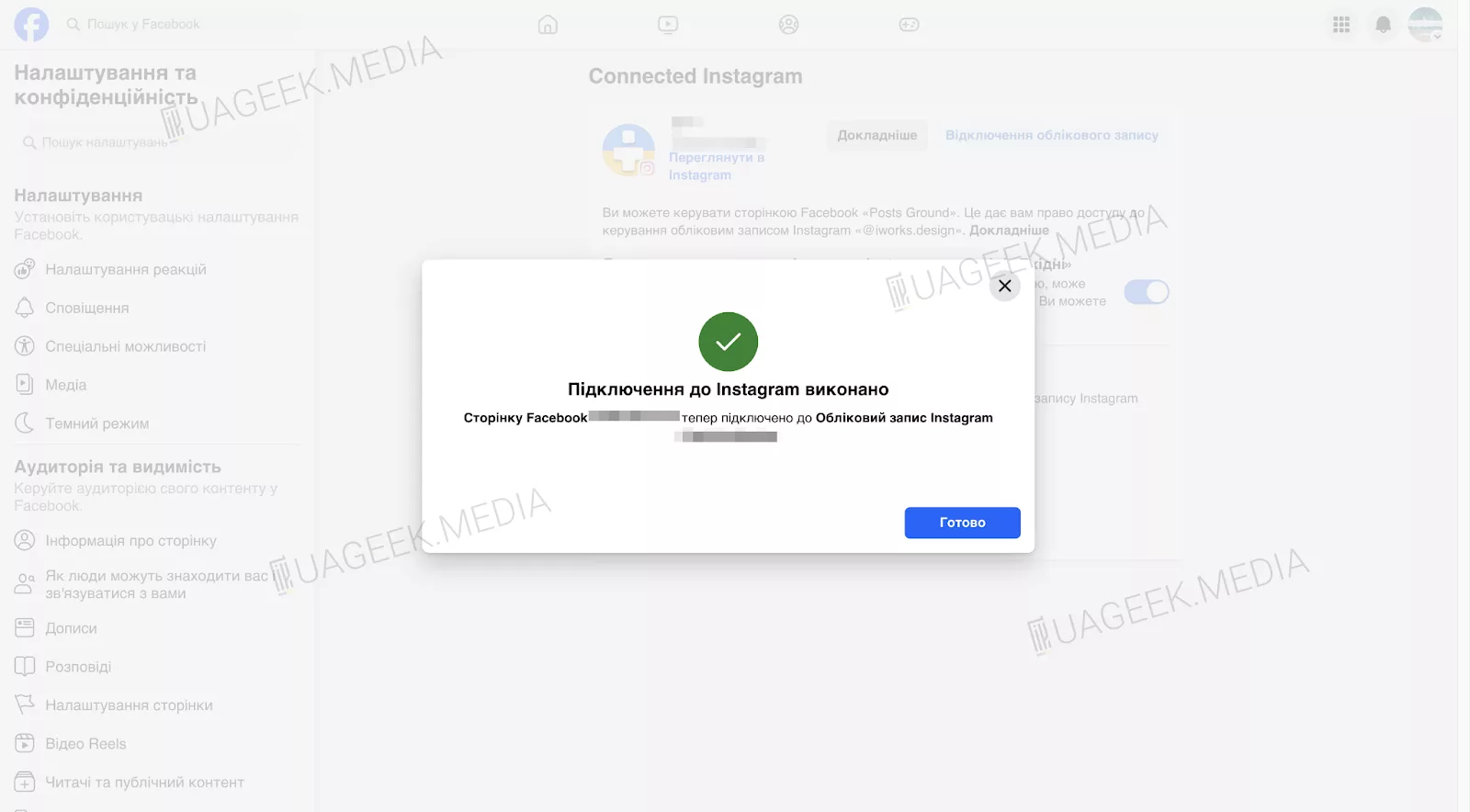
- After a few minutes, a ready Business Manager will appear in your account.
Method 3. How to create a Business Manager using a browser extension?
Registration via the FB Acc Status Plugin extension allows you to automate the process:
- install the script into your browser bookmarks;
- click it and select “BM”;
- fill in the data;
- click “Go”.
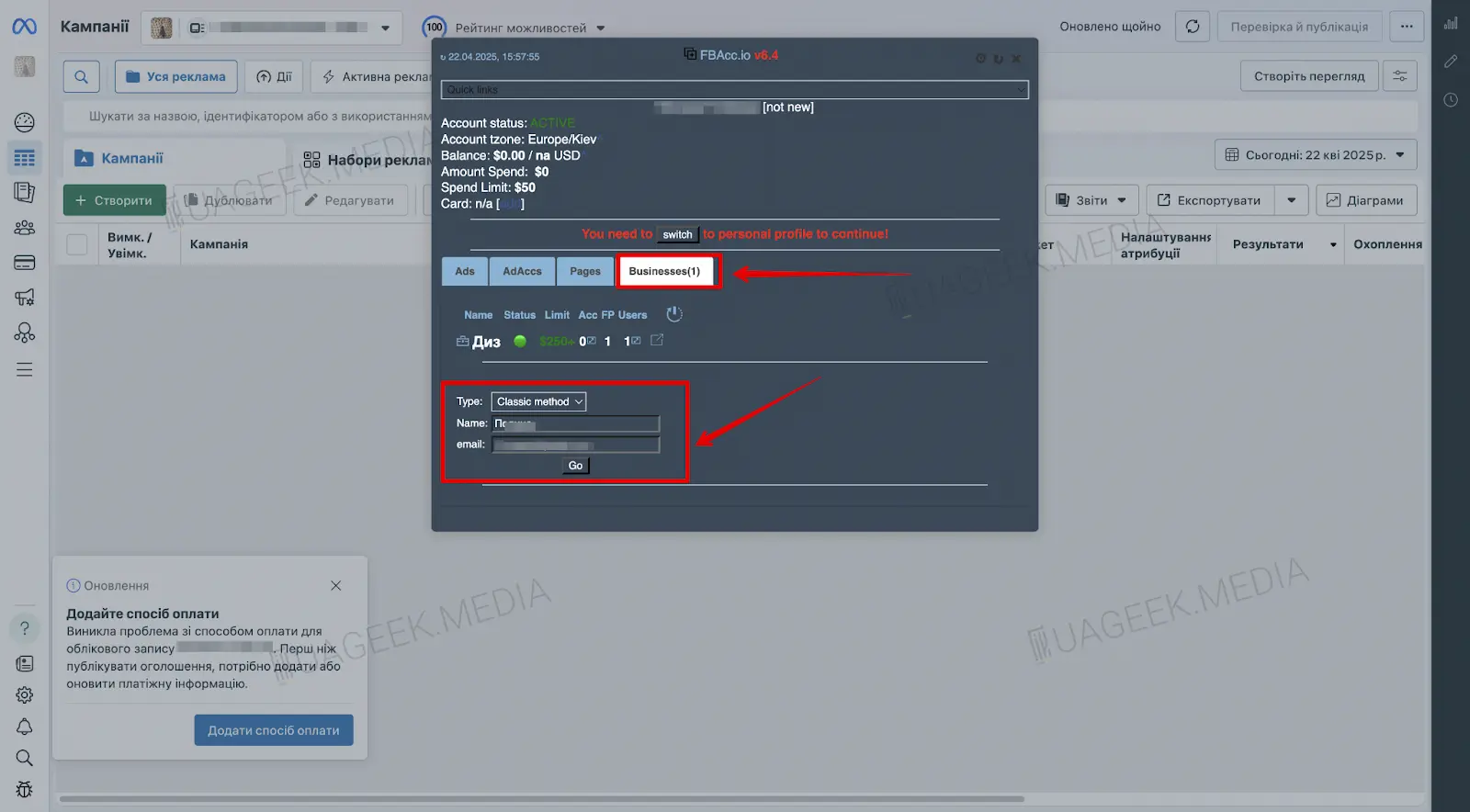
This is a fast method that minimizes manual actions.
Method 4. Registering Business Manager via Monetization Manager
If you plan to monetize content or work with Facebook Ads at the level of partner programs, you can obtain a Business Manager via Monetization Manager.
- Go to the Monetization Manager page.
- Click the “Get started” button to begin registration.
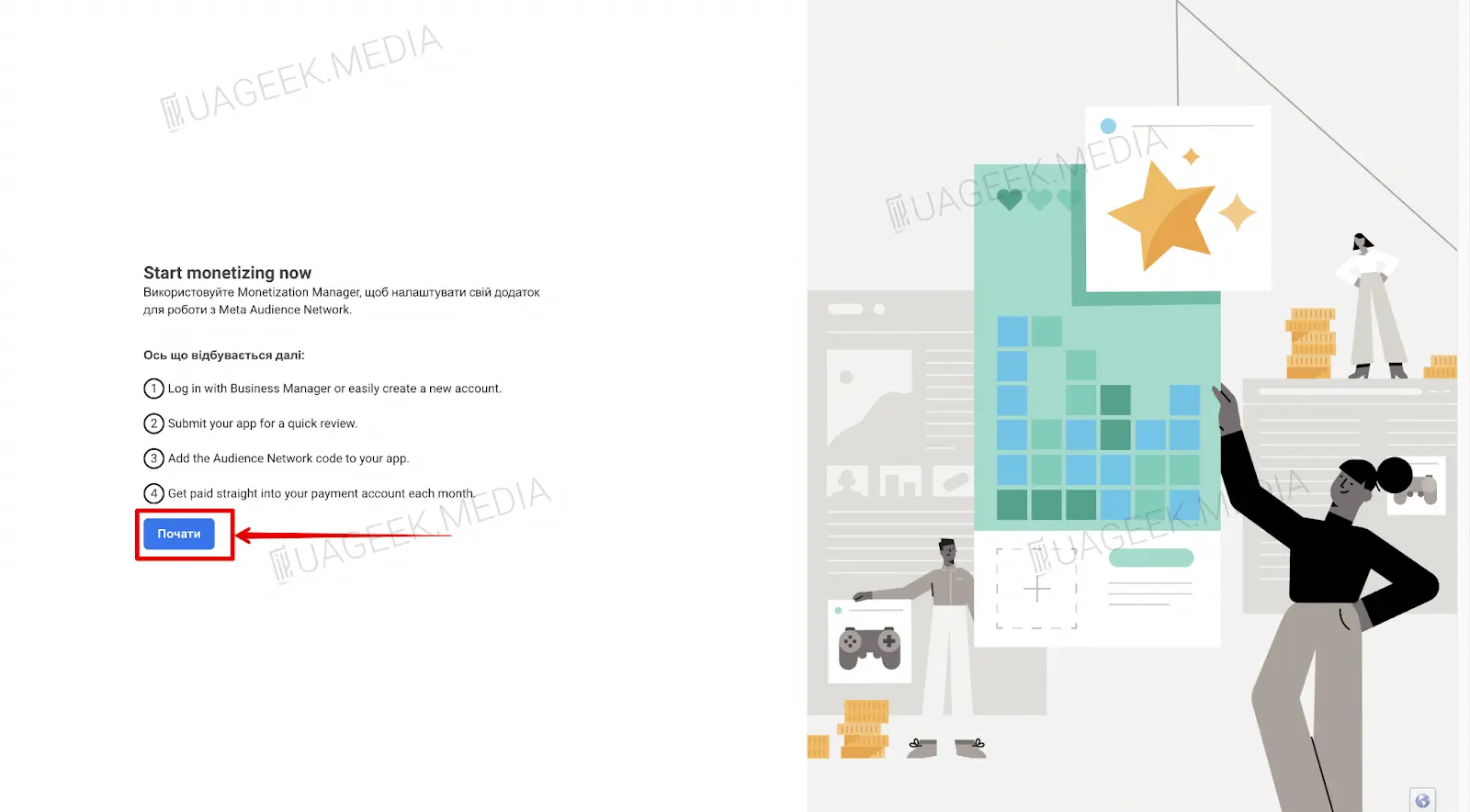
- Enter the required data: account owner’s name, email, company name.
- Select the country where your business operates.
- Click “Next” to confirm the details.
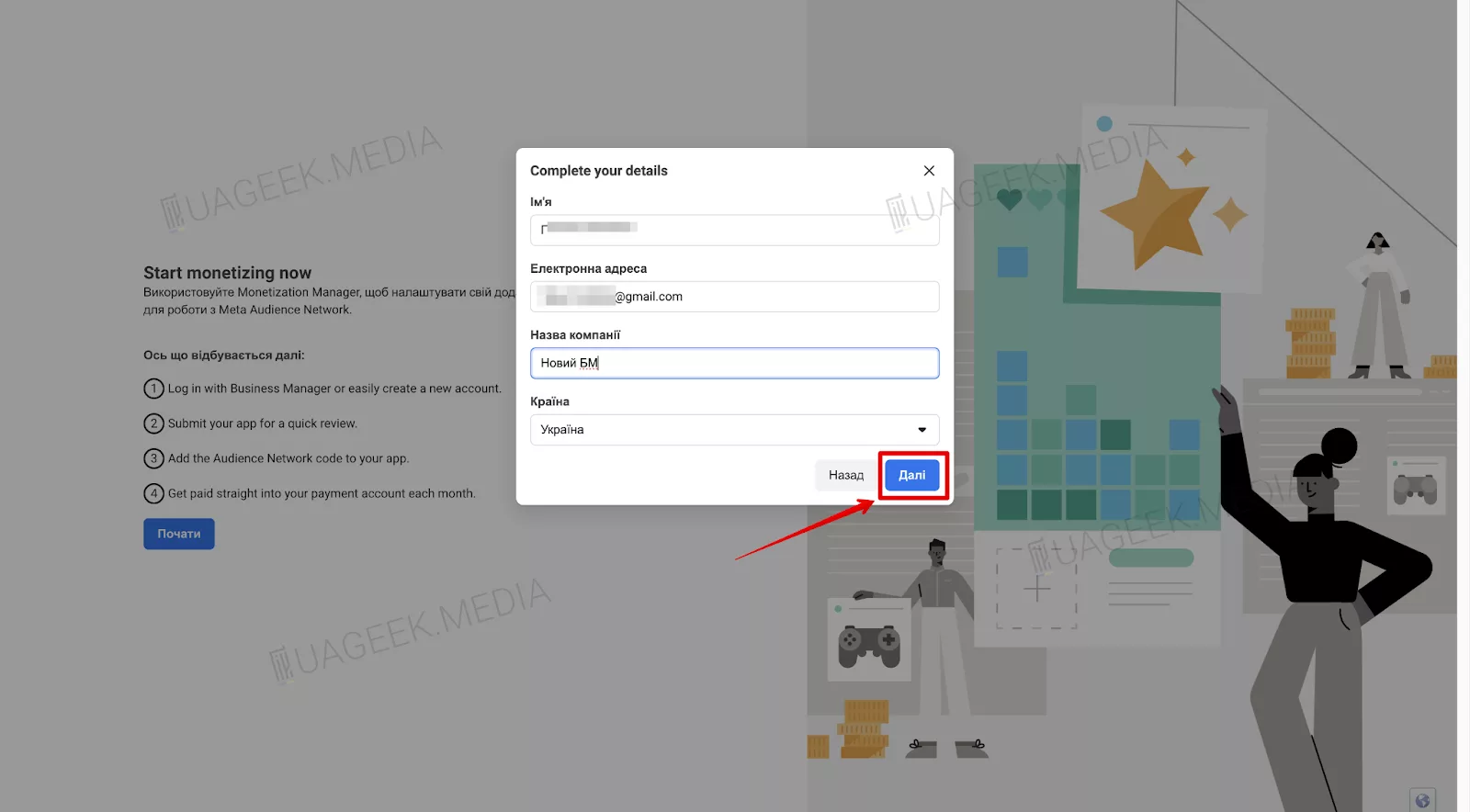
The new Business Manager will be created automatically after registration is completed.
Method 5. Creating Business Manager via Meta for Developers
To create a BM using this method, you need to register a developer account and create an app.
- Follow the link.
- Click “Continue”.
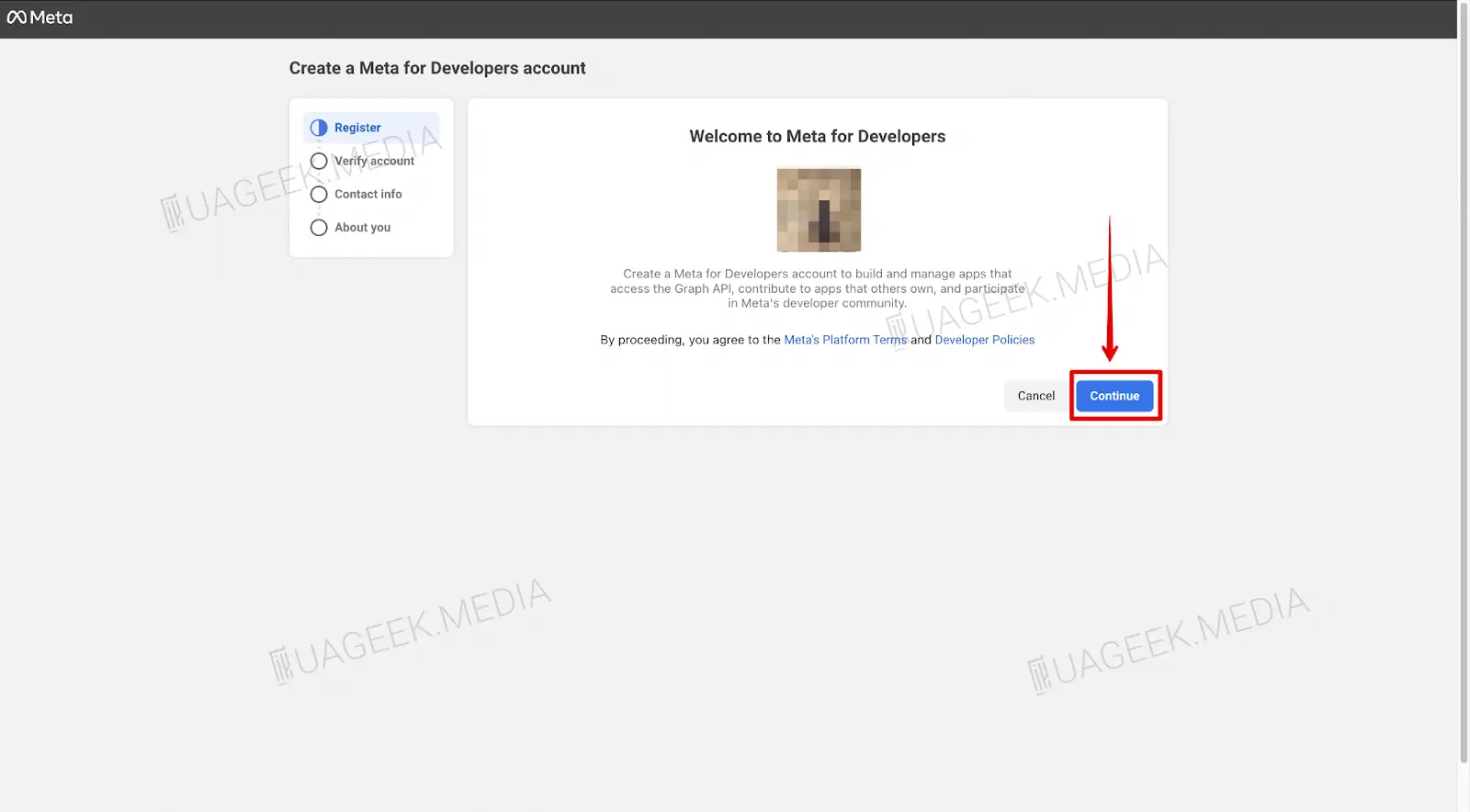
Done — you have created a Business Manager via Meta for Developers!
Method 6. How to get Business Manager via WhatsApp Business?
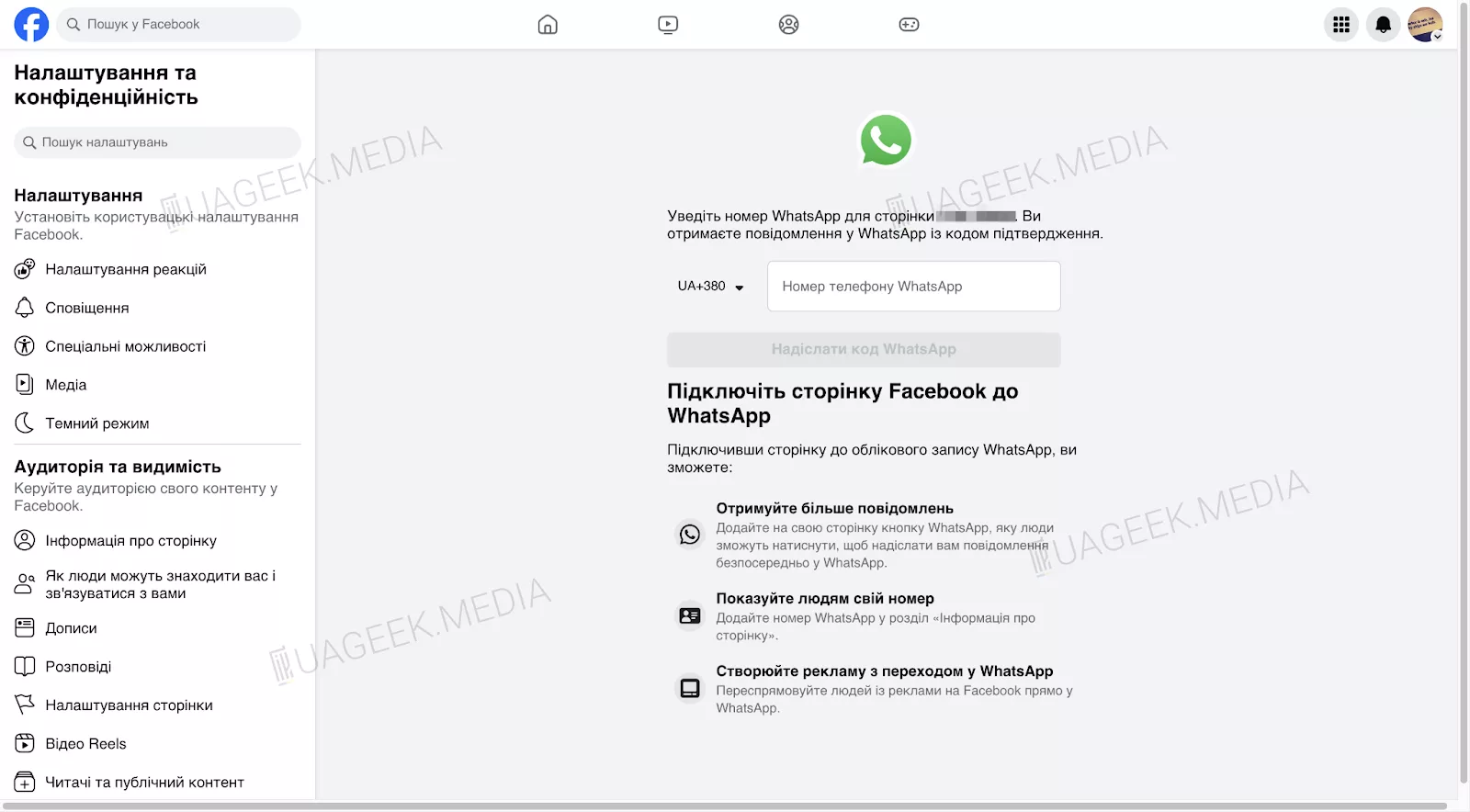
The principle is similar to registration via Instagram, but WhatsApp Business is used instead.
- Download and install the WhatsApp Business app on your phone.
- Register a business account (you can use SMS receiving services).
- Link the WhatsApp account to a Fan Page the same way as Instagram, confirming the code via the WhatsApp Business app.
Method 7. How to get Business Manager via Shopify?
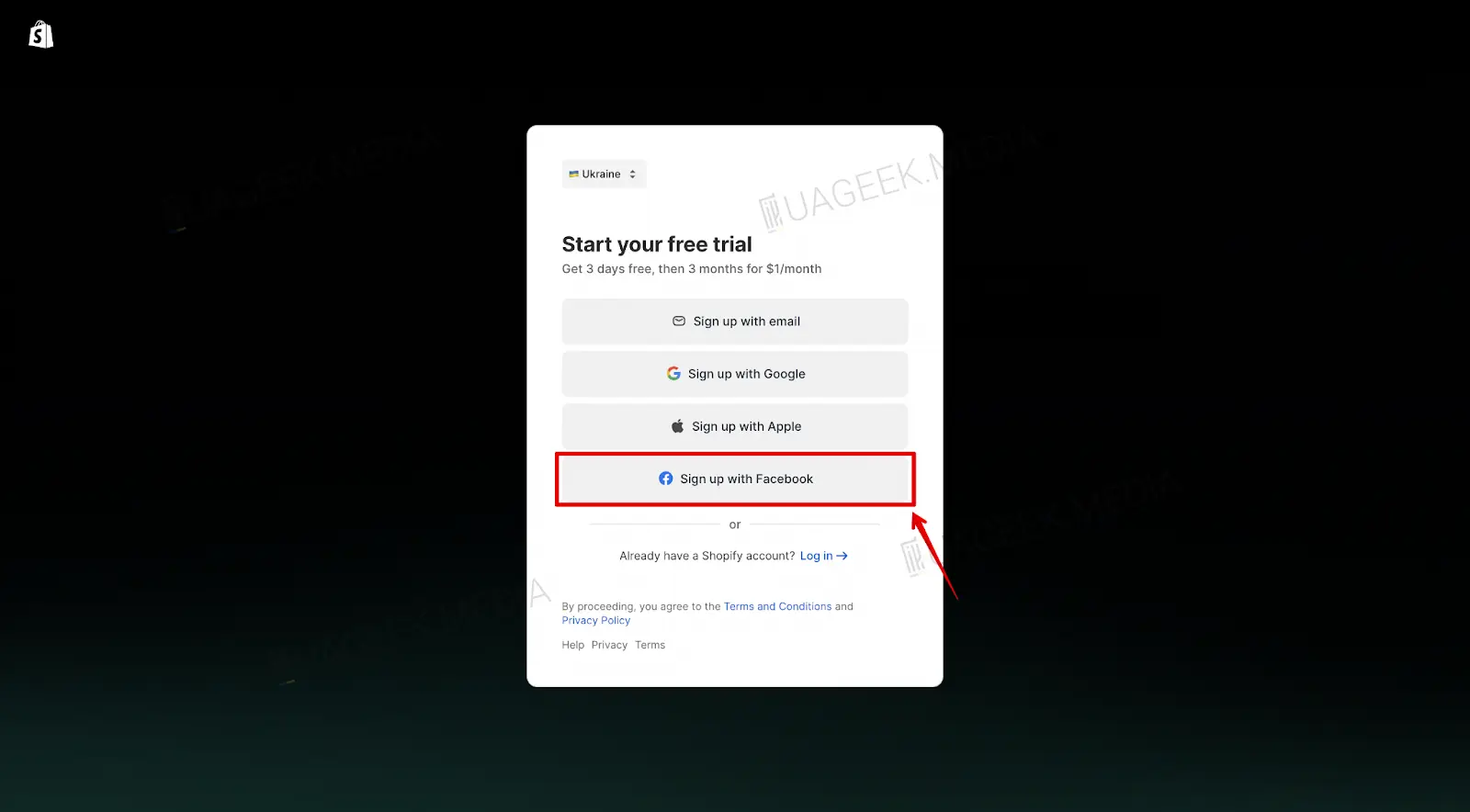
- Go to Shopify and start registration via Facebook.
- Click “Start free trial” to launch the trial period.

- On all next steps, click “Skip” until the required form appears.
- Click “Sign up with Facebook” for quick integration.
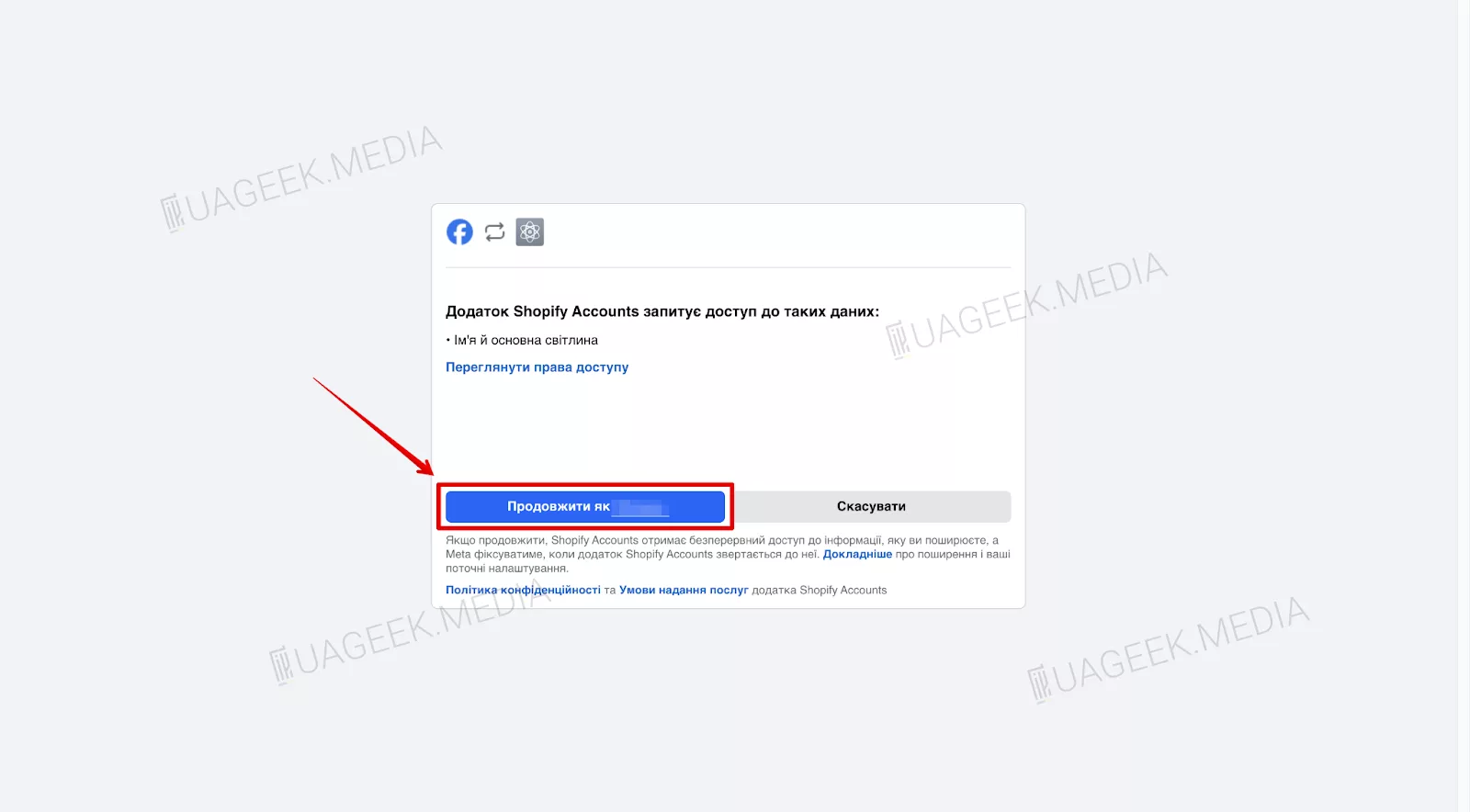
- Select the Facebook account that will be used for Shopify.
- Enter an email address (you can use a temporary email).
- Click “Create Shopify ID” to complete registration.
- In the top menu, find “Facebook & Instagram”.
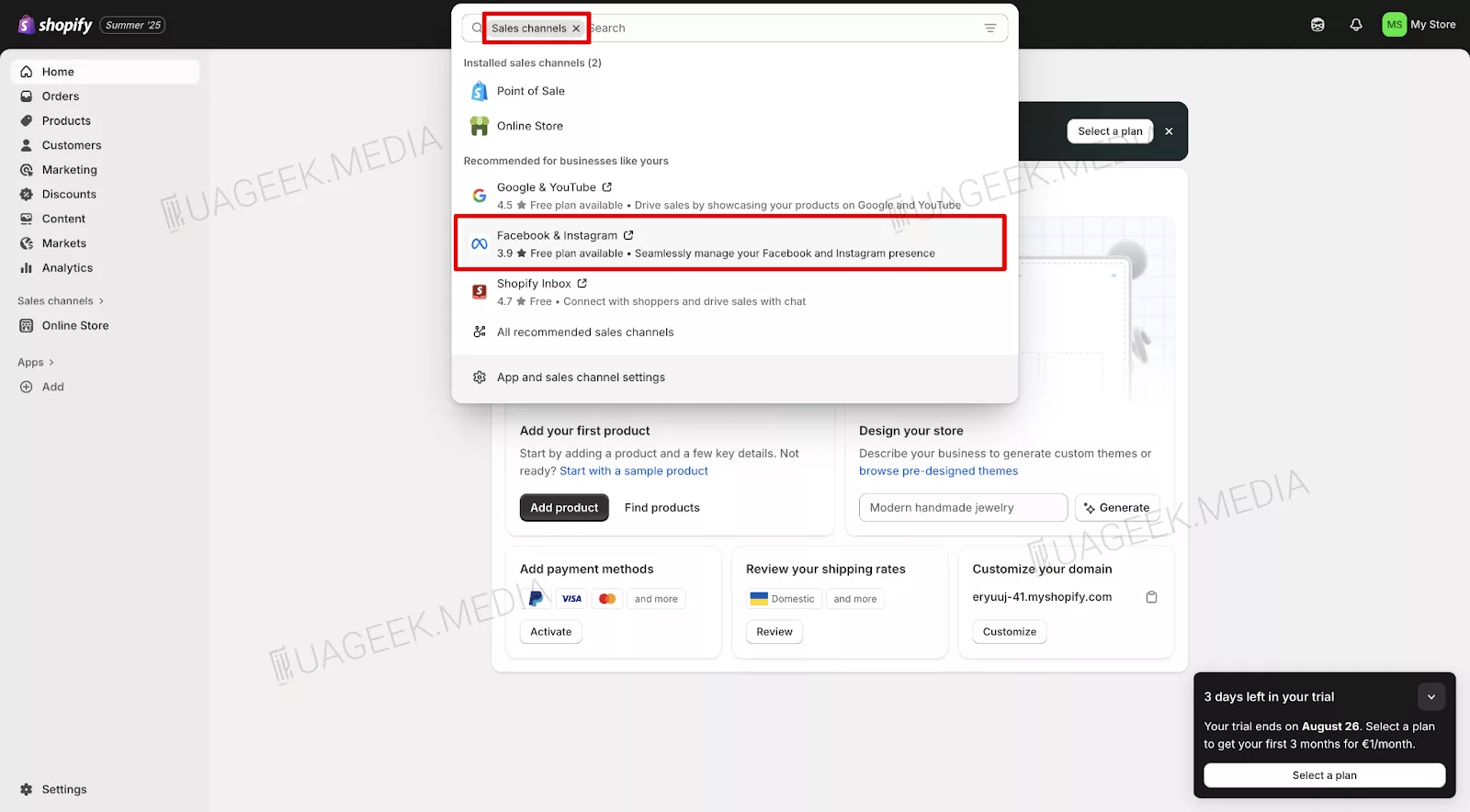
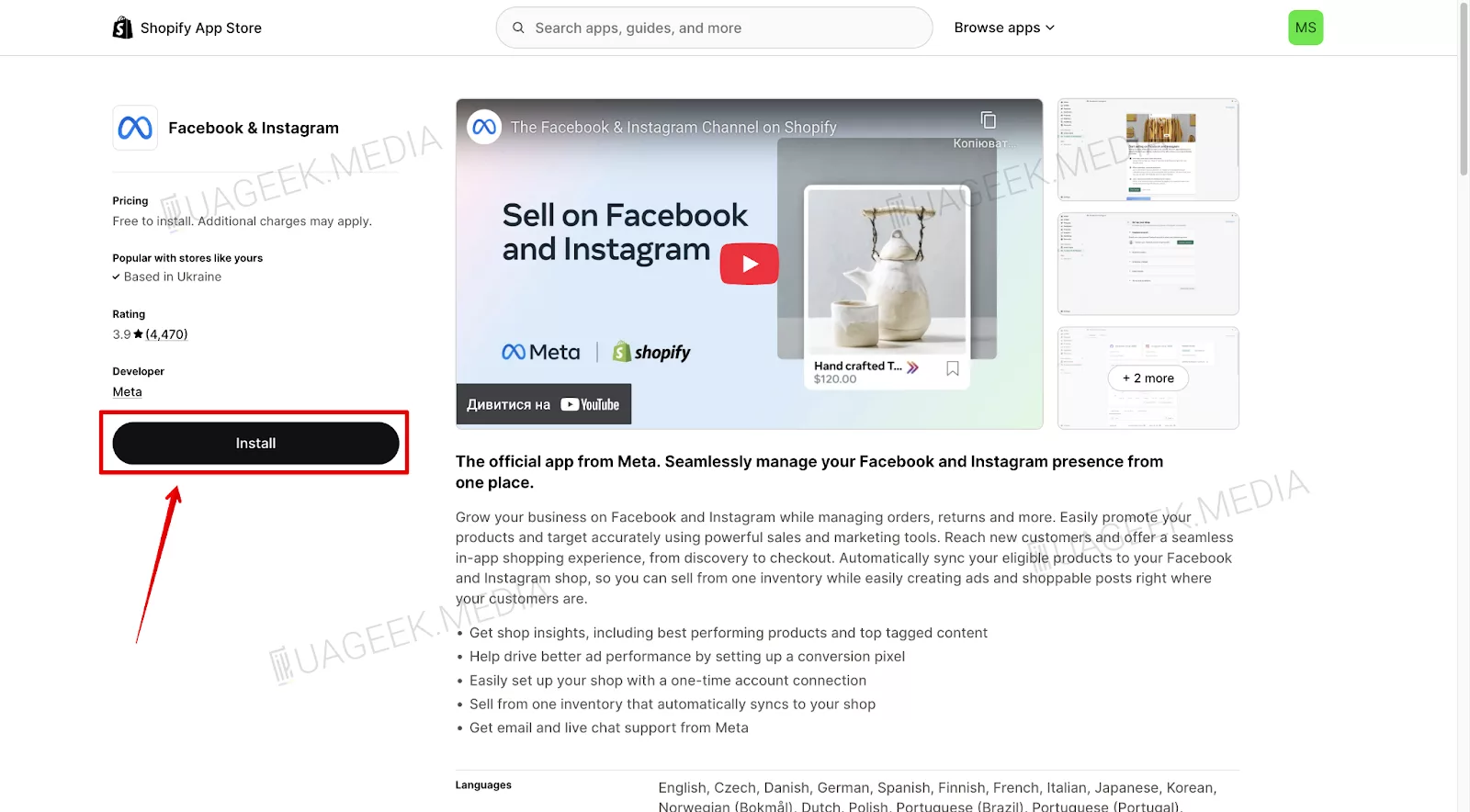
- Click to start the installation process.
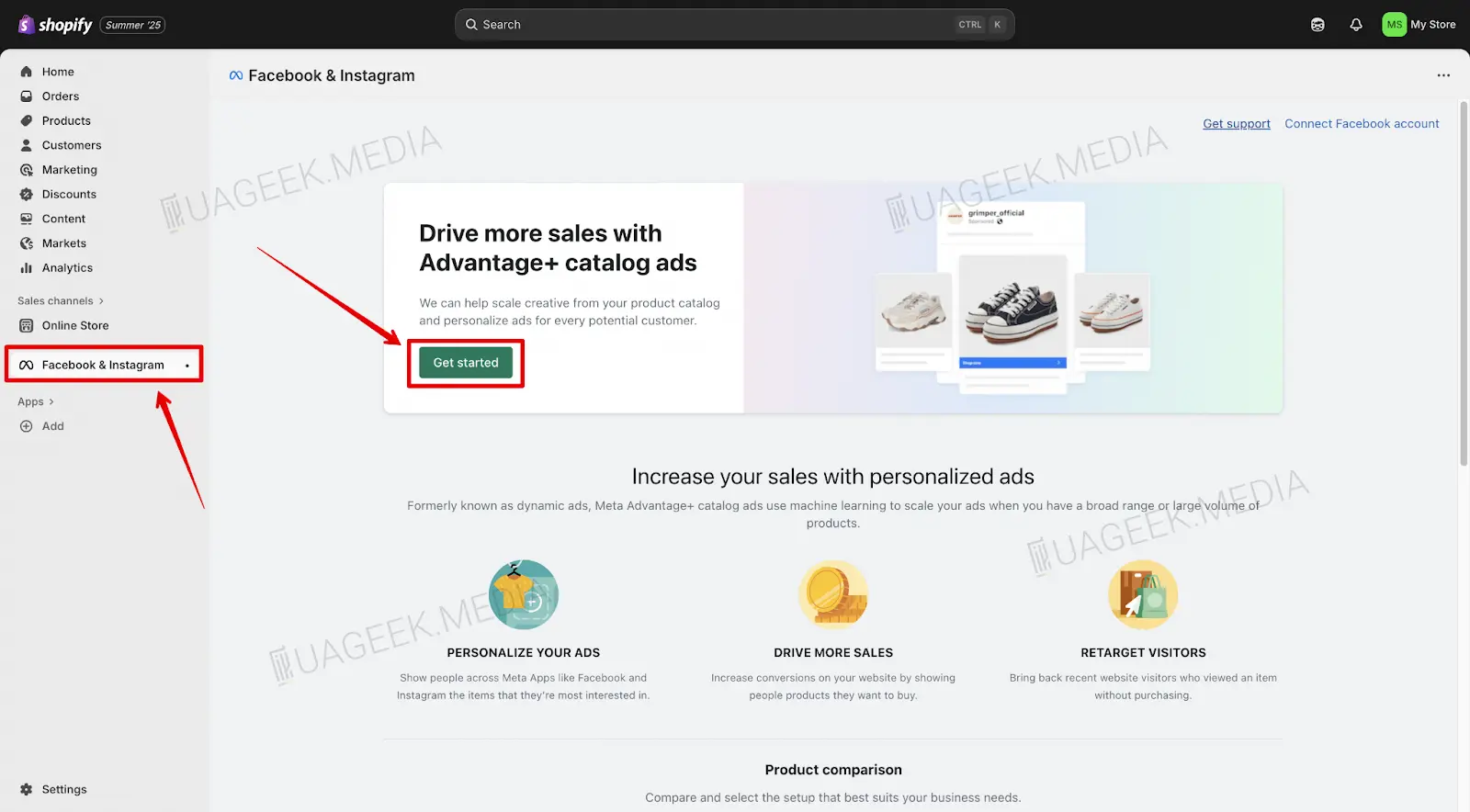
- Go to the “Facebook & Instagram” tab and click “Get started”.
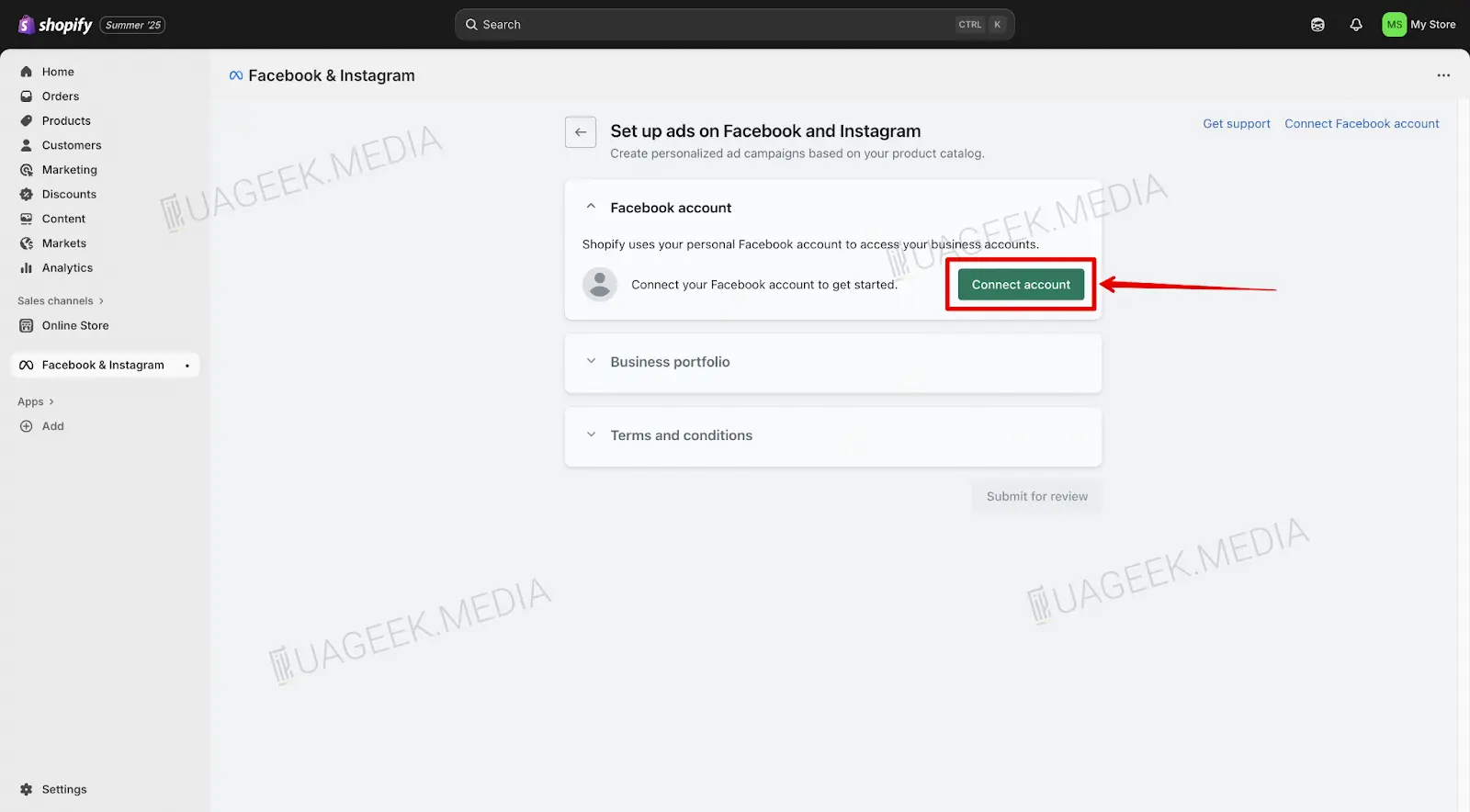
- Click “Connect account” to link Facebook.
- Confirm the account by clicking “Confirm account”.
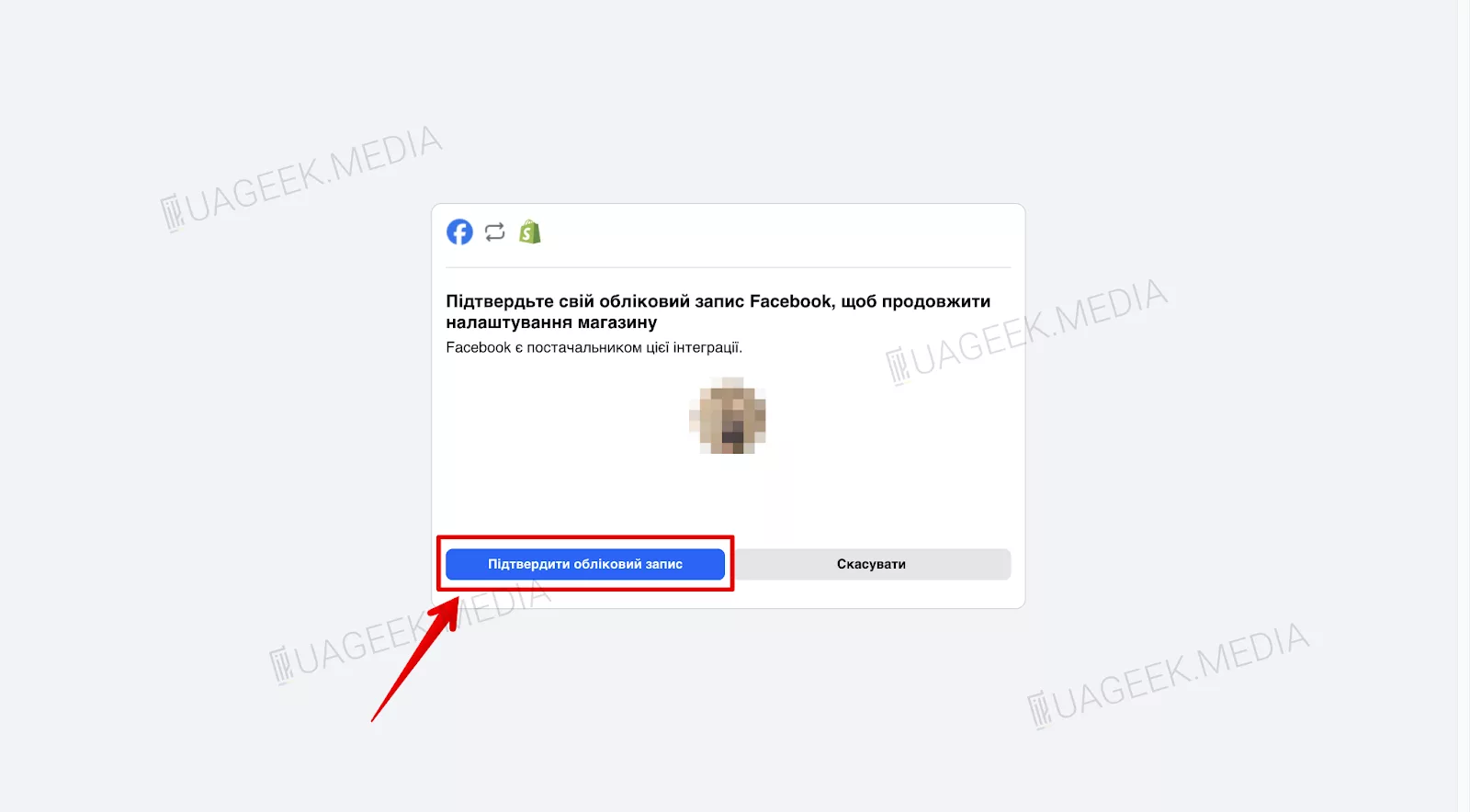
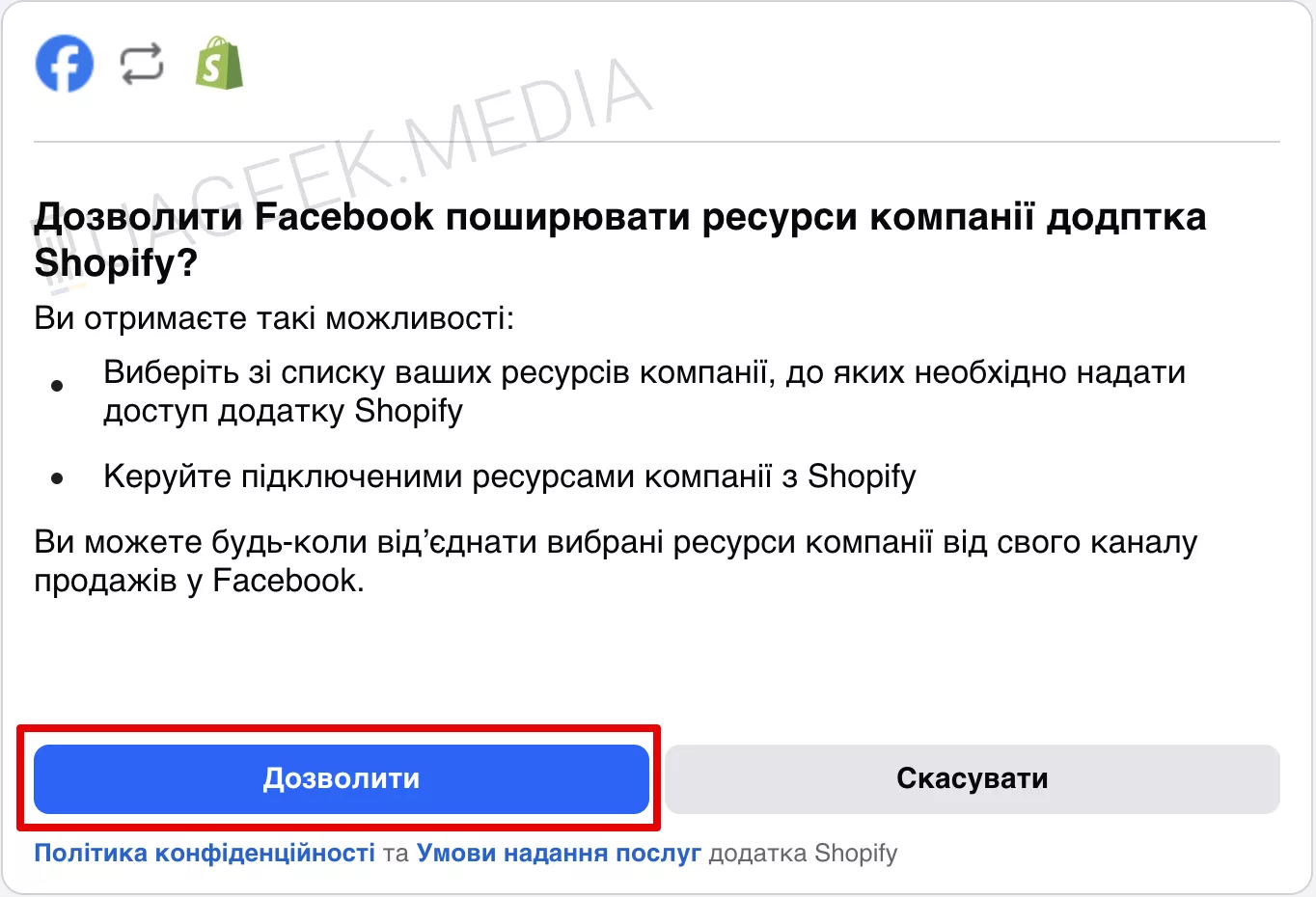
- Click “Allow”.
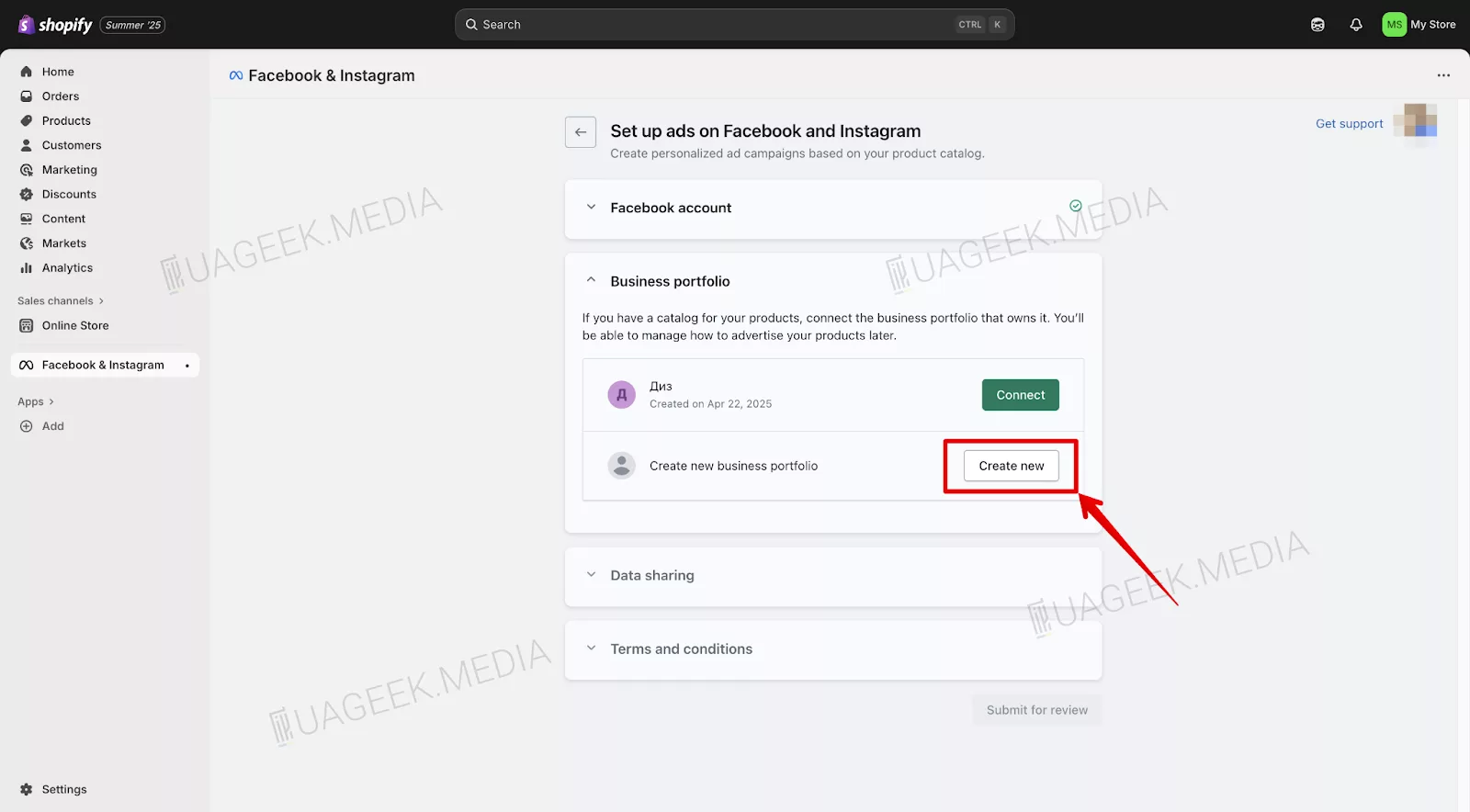
- In the pop-up window, select “Create new”.
- Select the required Fan Page in “Business assets” and click “Connect”.
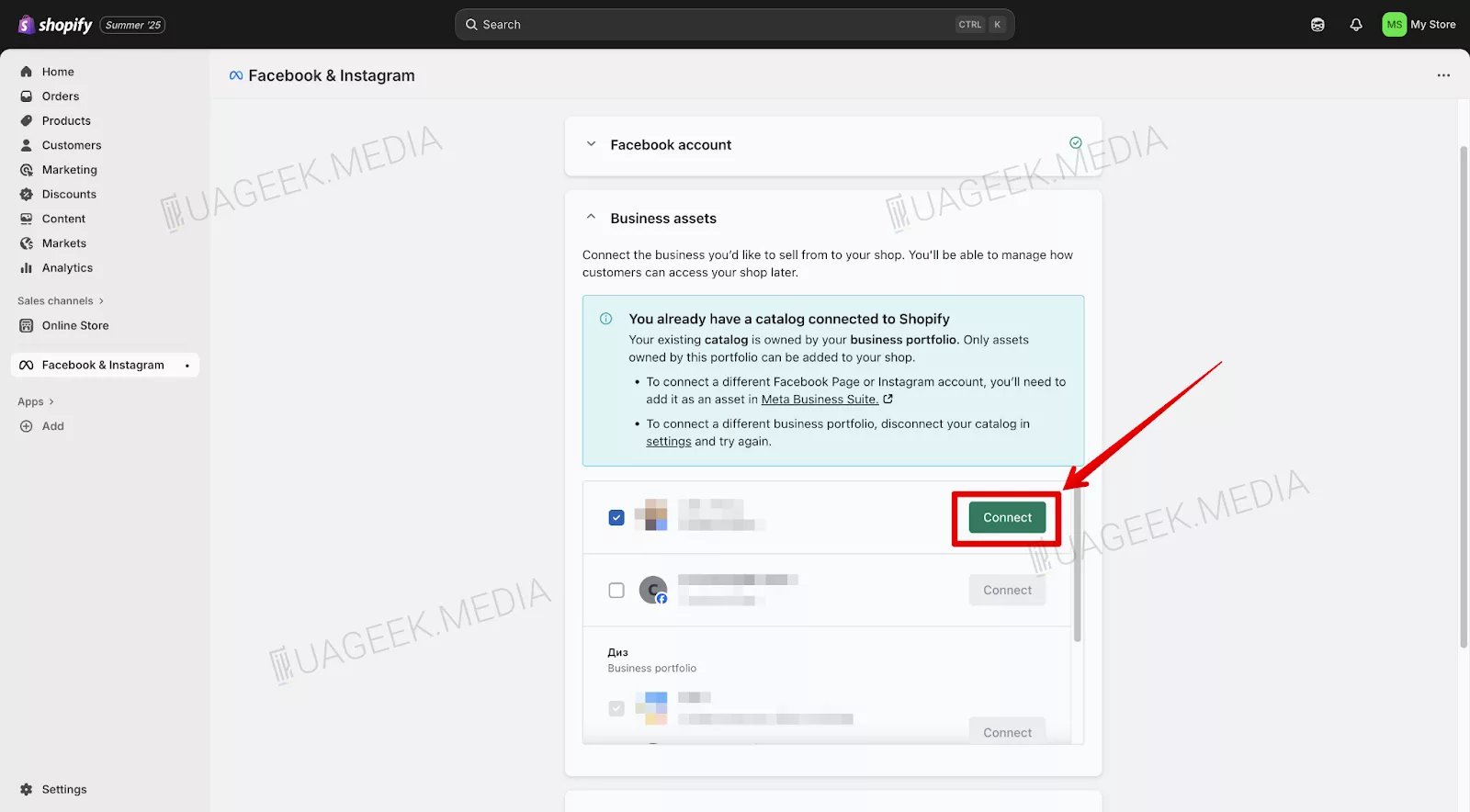
- Click “Connect” to finish the process.
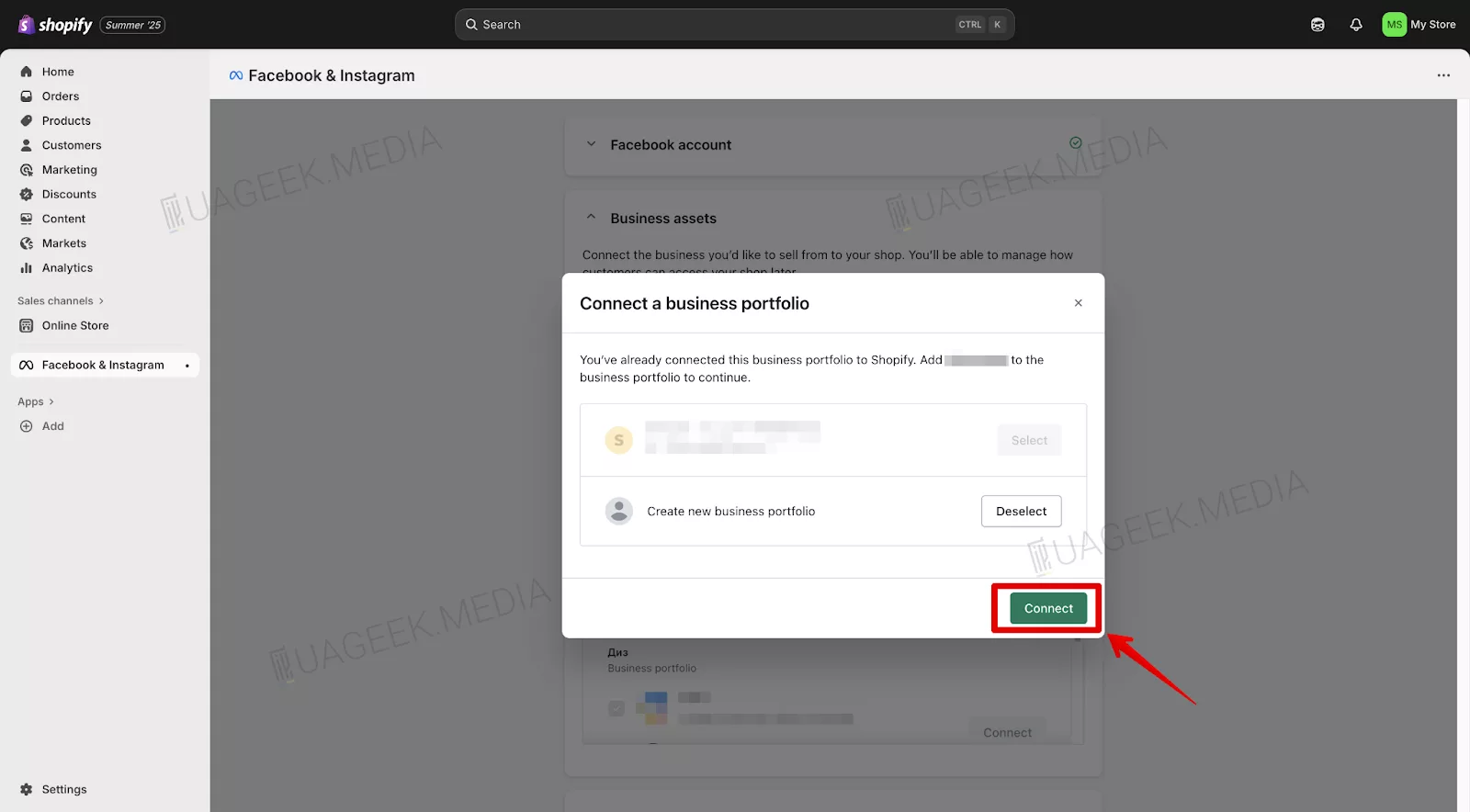
- Your Business Manager is created and ready to use!
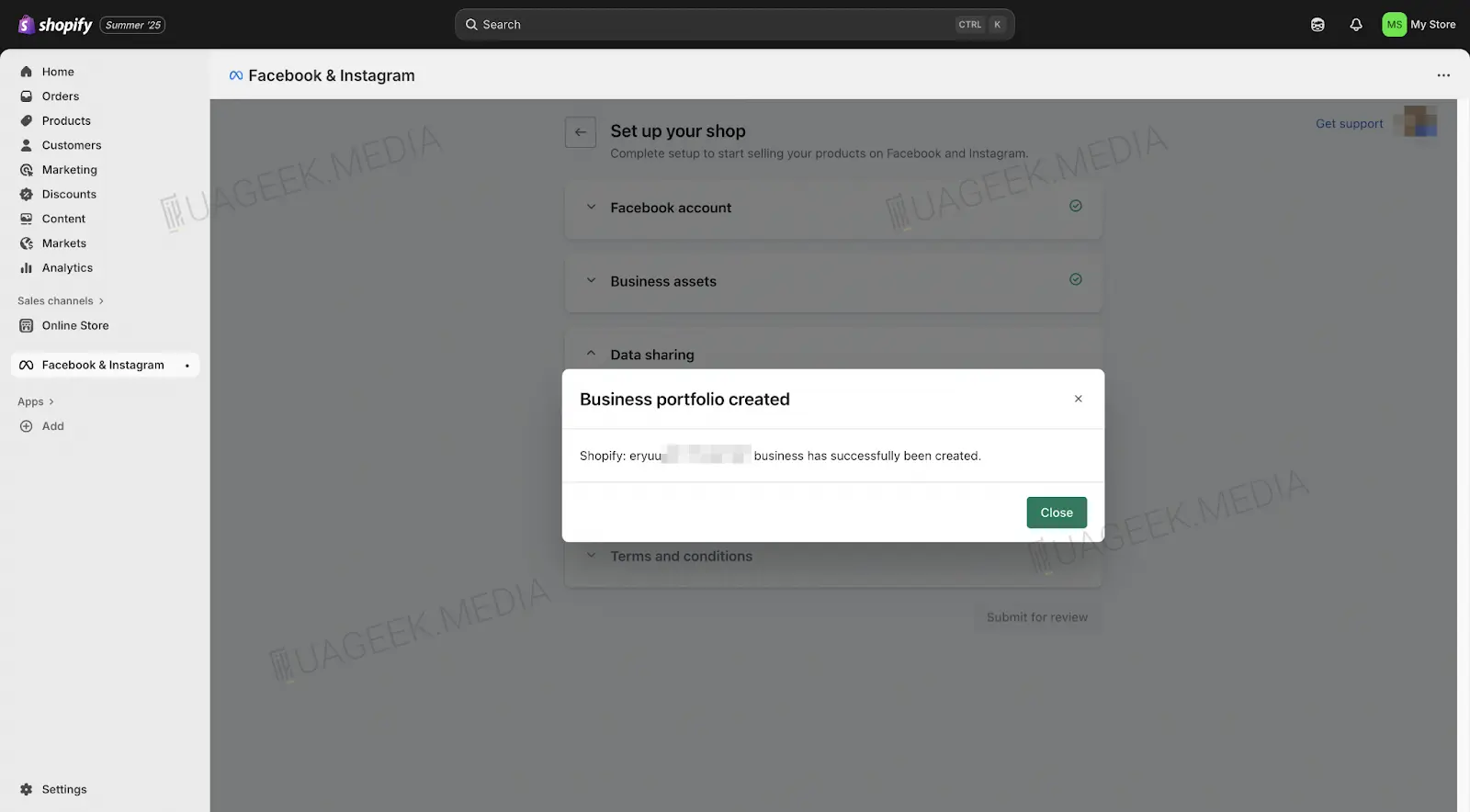
Method 8. How to quickly create a BM via Meta Business Suite?
This method is one of the simplest and fastest ways to get a BM. Facebook allows you to create a business account directly via Meta Business Suite, without extra checks or long waiting times.
- Go to the official Meta Business Suite page.
- Select an account or create a new one if you don’t have it yet.
- Click “Create business account”.
- In the pop-up window, enter the Business Manager name and click “Next”.
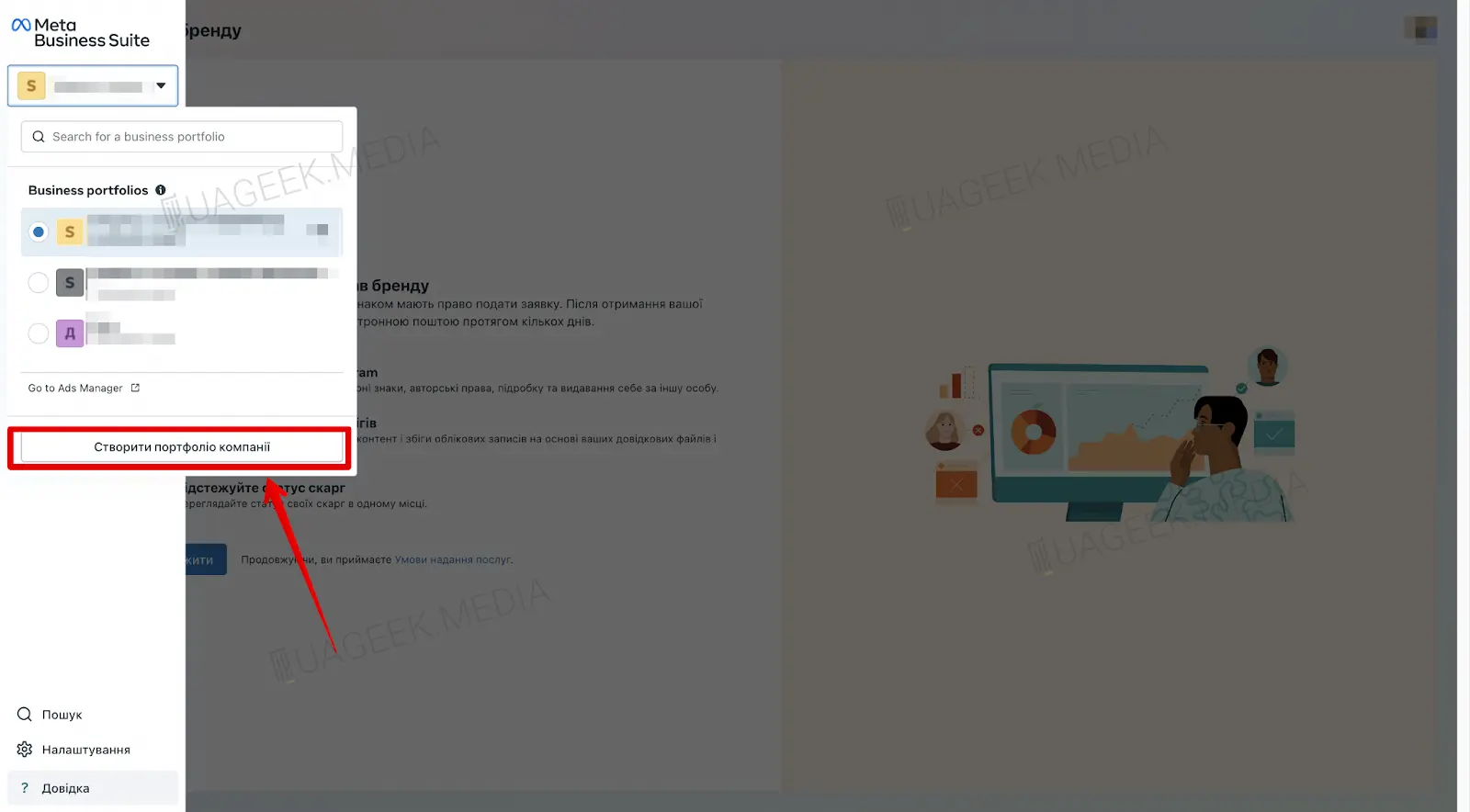
- At the next step, fill in the account owner’s name and email.
- Click “Create” to complete the setup.
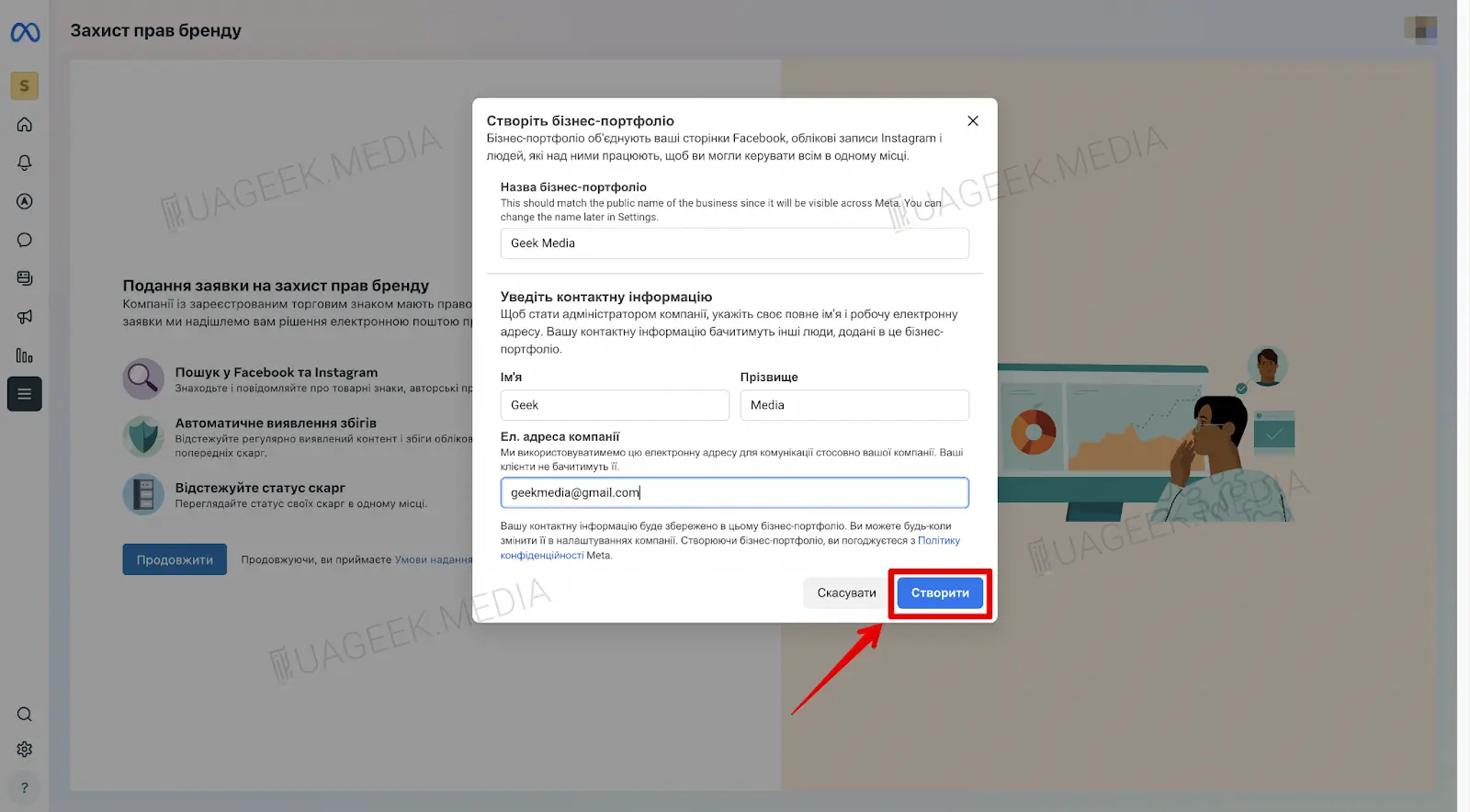
- If you already have a Fan Page, you can immediately link it to the new BM.
Your Business Manager is created and ready to use!
In this article, we have collected proven methods for creating a Business Manager that work in 2026. If the standard registration method doesn’t suit you, try alternative options via Shopify, Meta Developers, or Monetization Manager. In any case, one of these methods will definitely work!